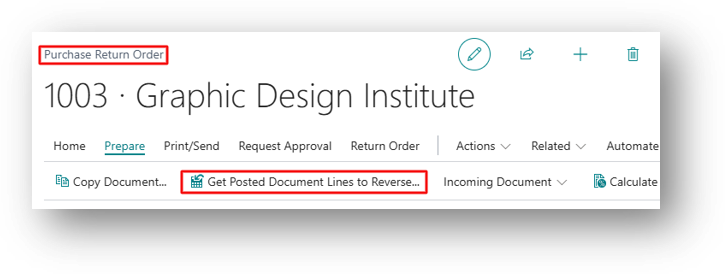
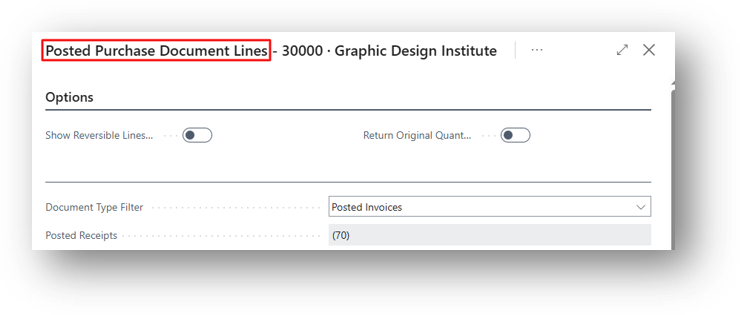
Show Reversible Lines Only is an option on the Posted Purchase Document Lines page. This page opens when you use Get Posted Document Lines to Reverse on a Purchase Return Order. For Microsoft guidance, see Process returns or cancellations on Microsoft Learn.
What Show Reversible Lines Only Does
When the option is turned on, the page shows only the lines that still have quantity available to return. Lines that are already fully returned are hidden. Turn the option off when you need to see the complete history of a posted document, including lines that are already fully reversed.
How to Turn It On
- Open a Purchase Return Order and choose Get Posted Document Lines to Reverse.
- On the Posted Purchase Document Lines page, find the Options section.
- Turn on Show Reversible Lines Only. The list refreshes and hides the lines that are already fully returned.
- Select the lines you need and choose OK.
Example
A Posted Purchase Invoice from Vendor 30000 has two lines:
- Line 1: Item 1906-S, 5 Units, Already Fully Returned.
- Line 2: Item 2000-S, 7 Units, Nothing Returned.
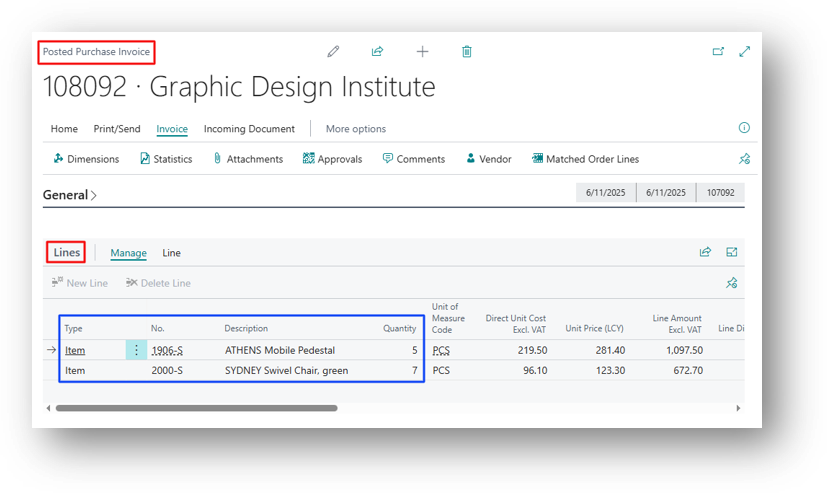
With the option turned on, only Line 2 will appear. Line 1 is hidden because nothing is left to return.
When the Option Is Turned Off
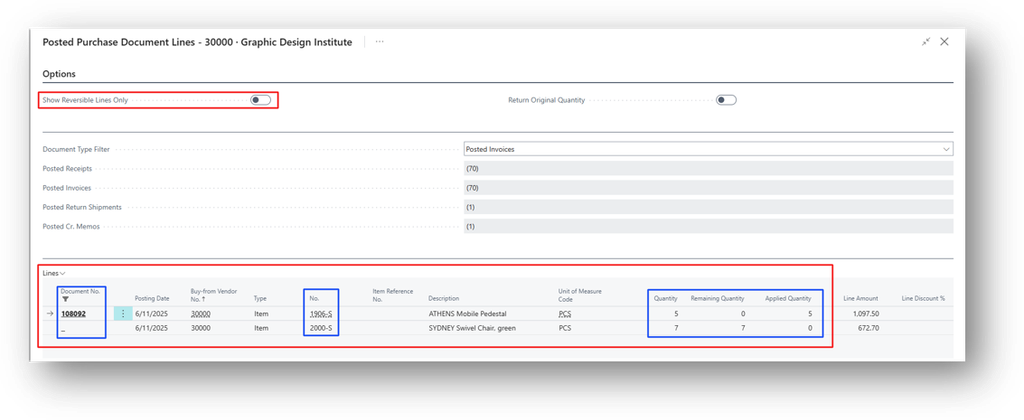
The system shows both lines, whether they are returned or not.
Show Reversible Lines Only Turned On
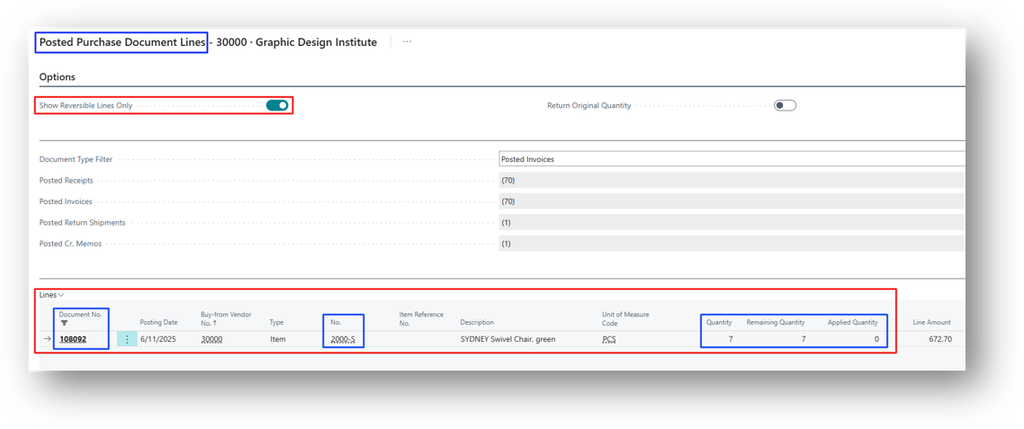
The system shows only the lines that are not fully returned.
Comparison with Return Original Quantity
Both options are on the same page, but they answer different questions. This option controls which lines are listed, while Return Original Quantity controls the quantity copied to each selected line. You can use them together: show only the lines that can still be returned, and copy only the quantity that is left.
When to Use Show Reversible Lines Only
Keep the option turned on for day-to-day returns, so users see only the lines that can still be returned. Turn it off when you need to review the full history of a posted document, for example when a user asks why a line cannot be returned. If you are not sure which view a user needs, start with the option turned on and turn it off only to check the history.
Conclusion
Show Reversible Lines Only keeps the Posted Purchase Document Lines page clean by hiding lines that are already fully returned. As a result, users pick the right lines faster and avoid trying to return the same quantity twice.
Related Articles
If you work with returns, these related articles may also help:
- Get Posted Document Lines to Reverse
- Return Original Quantity
- Copy Document Feature
- Ship-to Code on Customer Card
Hope so this is Helpful 😃