When goods are returned, Business Central has to decide which original receipt the returned quantity comes from, because that receipt carries the cost. By default it takes the oldest open entry (FIFO). The field Appl.-to Item Entry lets you name the exact entry, so the return is valued at the cost of the original purchase. I tested this with item 1047, which has 2 Receipts:
- 10 PCS @ 10.00 (Entry 1139)
- 10 PCS @ 20.00 (Entry 1140)
Setup
In Purchases & Payables Setup, Exact Cost Reversing Mandatory decides whether the field is compulsory. With it on, a return cannot be posted without the exact entry.
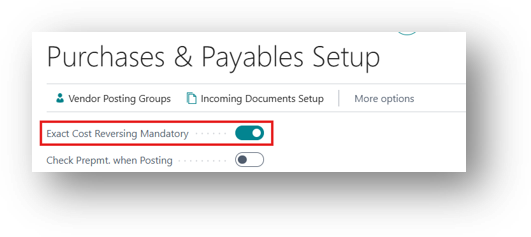
The field is shown by default on the Purchase Return Order lines.
Return with Appl.-to Item Entry
Create the Return Order and enter 5 PCS, then enter 1140 in Appl.-to Item Entry.

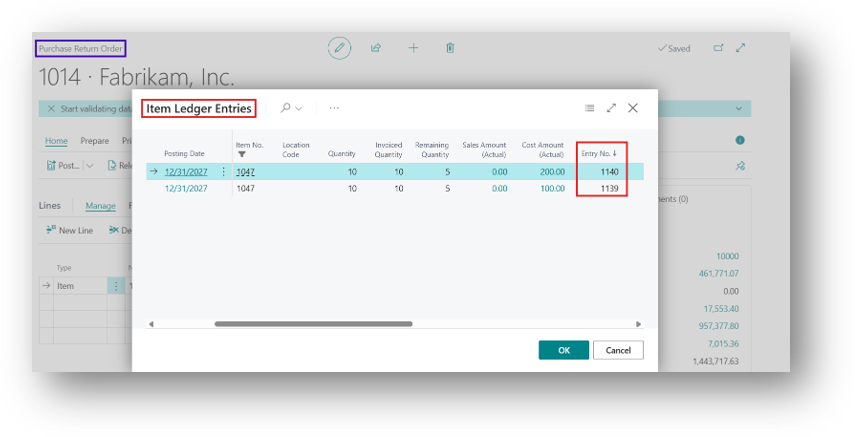
Enter the Quantity first to avoid the “Quantity Must have a Value” Error.

After posting, the return entry 1143 has a cost amount of -100.00, which is 5 pcs at 20.00. Entry 1140 now has 0 pcs remaining, and entry 1139 is untouched with 5 Quantity.

Return Without It
With Exact Cost Reversing Mandatory on, a return without the entry does not post. The error is: Appl.-to Item Entry must have a value in Purchase Line.

I switched the setting off and posted the same return of 5 pcs without the entry. Business Central applied it to the oldest open entry, 1139, so entry 1142 has a cost amount of -50.00 (5 pcs at 10.00). So, the same 5 PCS are valued at 100.00 with the entry and 50.00 without it.

Hope so this is Helpful 😃