
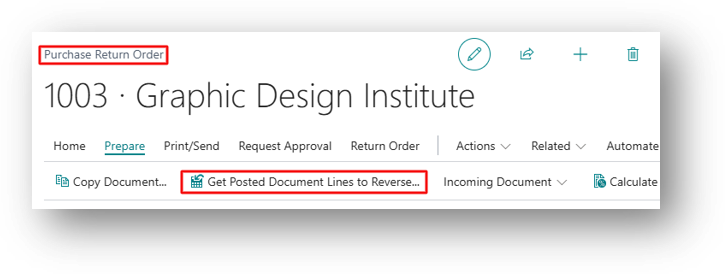
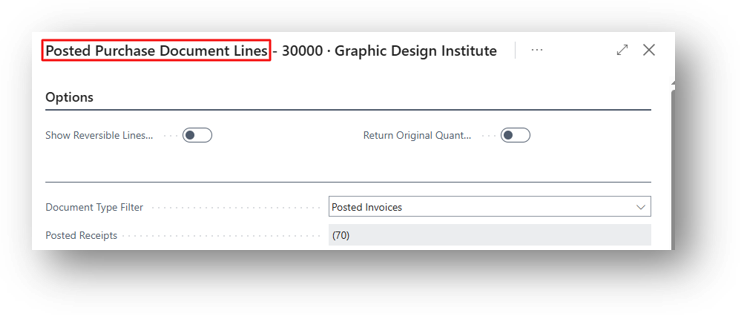
Show Reversible Lines Only is an option on the Posted Purchase Document Lines page. This page opens when you use Get Posted Document Lines to Reverse on a Purchase Return Order.
What It Does
When the option is turned on, the page shows only the lines that still have quantity available to return. Lines that are already fully returned are hidden. Turn the option off when you need to see the complete history of a posted document, including lines that are already fully reversed.
Example
A Posted Purchase Invoice from Vendor 30000 has Two Lines:
- Line 1: Item 1906-S, 5 Units, Already Fully Returned.
- Line 2: Item 2000-S, 7 Units, Nothing Returned.
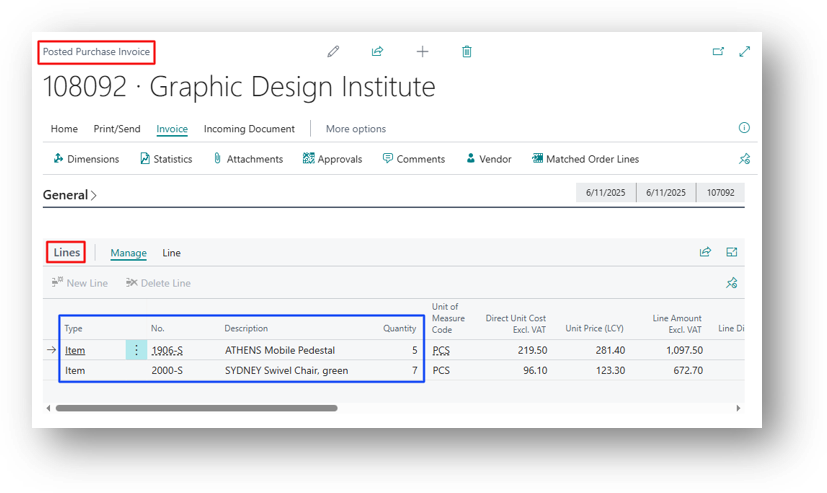
With Show Reversible Lines Only turned on, only Line 2 will appear. Line 1 is hidden because nothing is left to return.
When Toggle is OFF
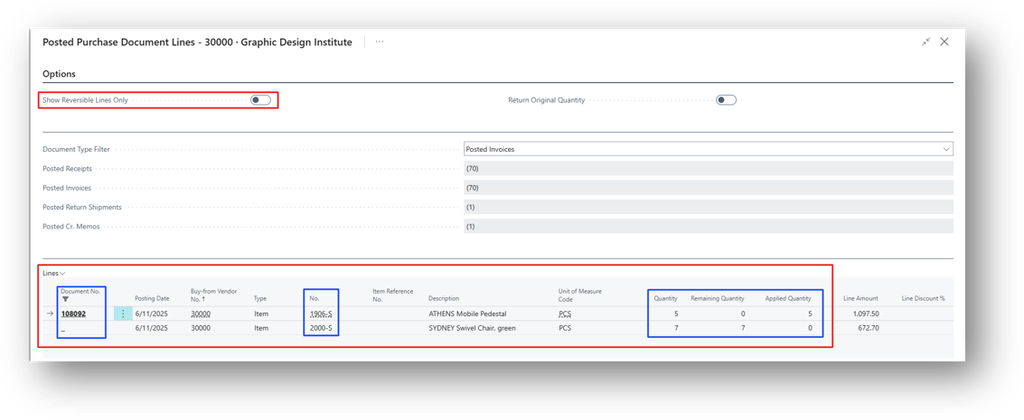
System is bringing both the lines that are Returned or Not.
When Toggle is ON
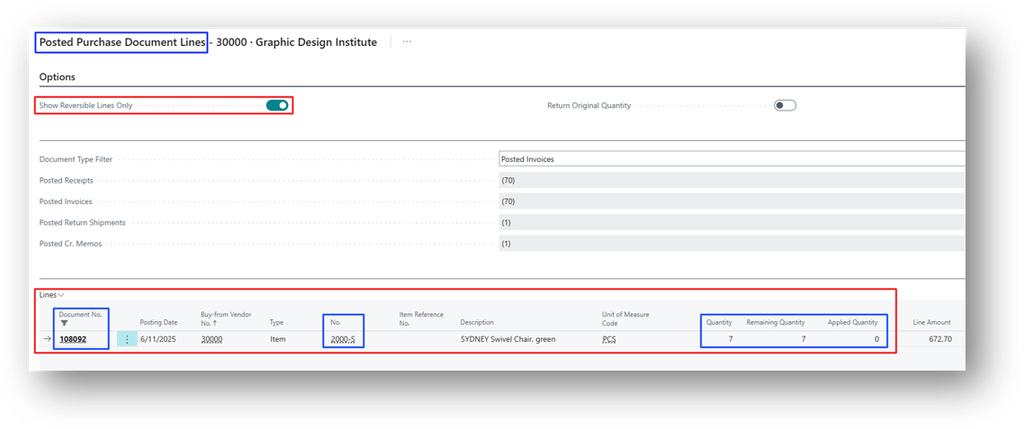
System is only showing the value that are not Fully Returned.
Hope so this is Helpful. 😃