
Introduction
Item Charges concept on Purchase vs Sale Documents is different. The setup is the same and the assignment page looks the same, but the purpose is very different.
Item Charges on Purchase Documents
Purpose: Adjust the Cost of Items.
A Purchase Item Charge represents money the company pays. It is added to the Cost Amount of the assigned item entries. Typical uses include:
- Inbound freight, insurance, and customs duty on imports
- Clearing and port handling fees
- Freight on Transfers between Locations
- Vendor Rebates, posted through a Purchase Credit Memo to reduce item cost
Item Charges on Sales Documents
Purpose: Adjust the Sales Amount of items.
A Sales Item Charge represents money the company bills to the customer. It is added to the Sales Amount (Actual) of the assigned shipment entries. Item cost is not affected. Typical uses include:
- Freight or Delivery Charges Billed to the Customer.
- Handling or Packaging Fees linked to Specific Shipments.
- Retroactive discounts or price corrections, posted through a sales credit memo
The revenue posts to the Sales Account from the General Posting Setup combination of the customer Gen. Bus. Posting Group and the item charge Gen. Prod. Posting Group. No inventory account is involved.
Side by Side Comparison
| Aspects | Item Charge – Purchase | Item Charge – Sales |
| Represents | Cost paid by the company | Amount billed to the customer |
| Effects on ILE | Cost Amount (Actual) | Sales Amount (Actual) |
| Changes unit cost | Yes | No |
| Main G/L impact | Inventory or COGS | Sales revenue |
| Assigned to | Receipts, transfer receipts, return shipments, sales shipments, return receipts | Sales shipments, return receipts |
| Credit memo use | Vendor rebate reduces cost | Customer discount reduces revenue |
An Important Case: Outbound Freight
Outbound freight can involve both types. Consider a shipment where the company pays a carrier SAR 500 and bills the customer SAR 700.
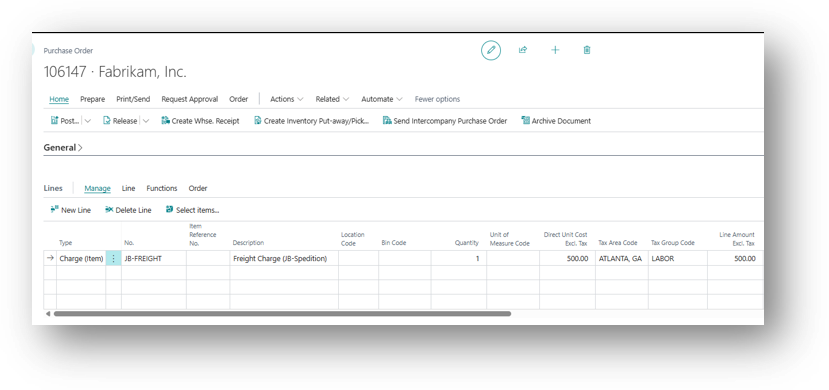
- Carrier Invoice: Post a Purchase Item Charge of $500 and assign it to the sales shipment line. The amount is added to the cost of that sale and ends up in COGS.
- Customer Invoice: Post a sales Item Charge of $700 and assign it to the same shipment. The amount is added to the sales amount of that sale.
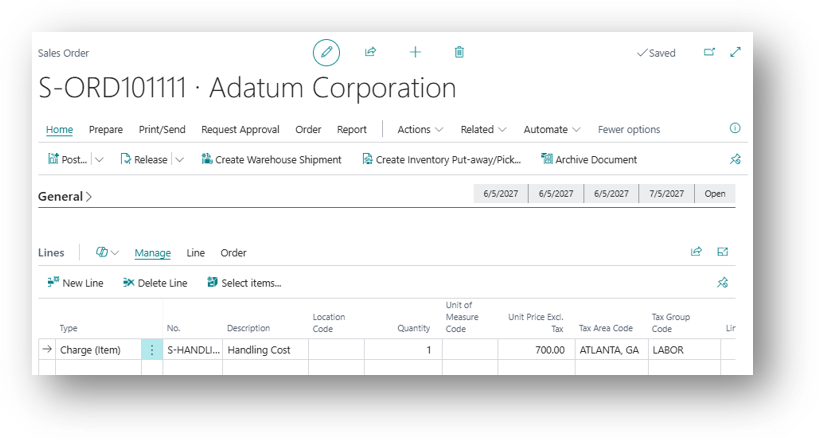
The Result is a true profit figure for the Shipment: SAR 200 margin on freight, visible directly on the item and customer.
Hope so it is Helpful 😊