

In this Article we will discuss ledger entries vs detailed ledger entries in more detail because sometimes even good consultants can’t differentiate it.
Note: At some point of the Article will discuss the feature for customer ledger entries and but not the vendor ledger entries, just remember same features are available at both ends. And if one thing is specific to that then I will mention that.
Ledger Entry
A Ledger Entry is the Summary Record Created when a Transaction Posts.
Example
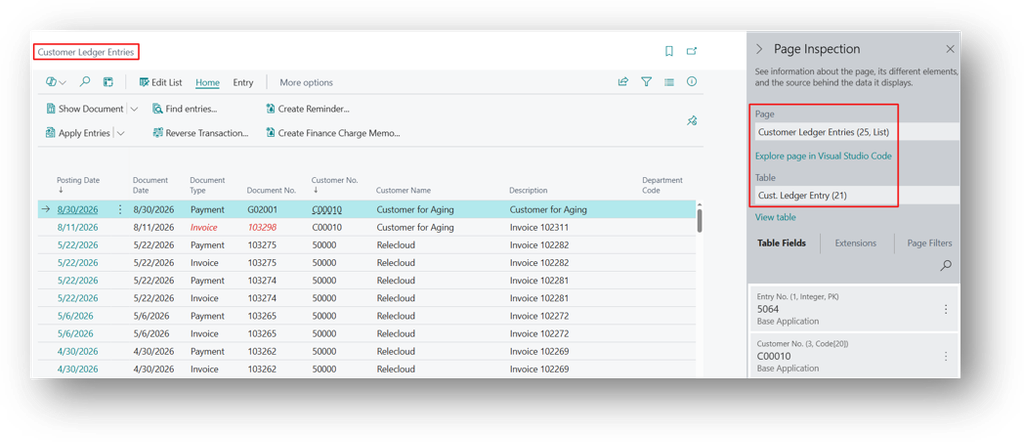
For Customers, system uses Customer Ledger Entry (Table 21) (Page 25, List)
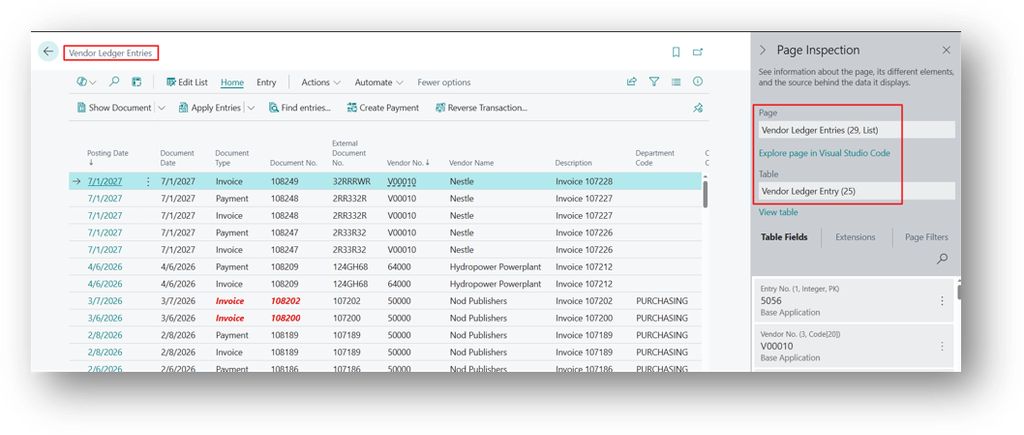
For Vendors, system uses Vendor Ledger Entry (Table 25) (Page 29, List)
For Items, system uses Item Ledger Entry (Table 32) (Page 38, List)
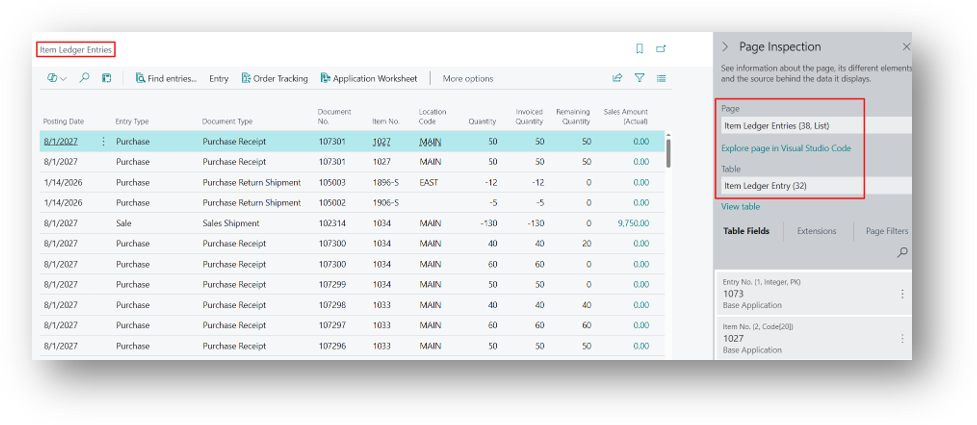
One Ledger Entry is created Per Posted Document Line for (Customer & Vendor) or Journal Line (Items). It holds the headline information like:
- Document Type
- Document Number
- Amount
- Due Date
- Open/Closed Status
Detailed Ledger Entry
A Detailed Ledger Entry is the Transaction History behind a Ledger Entry.
Example
For Customers, system uses Detailed Customer Ledger Entry (table 379) (Page 573, List)
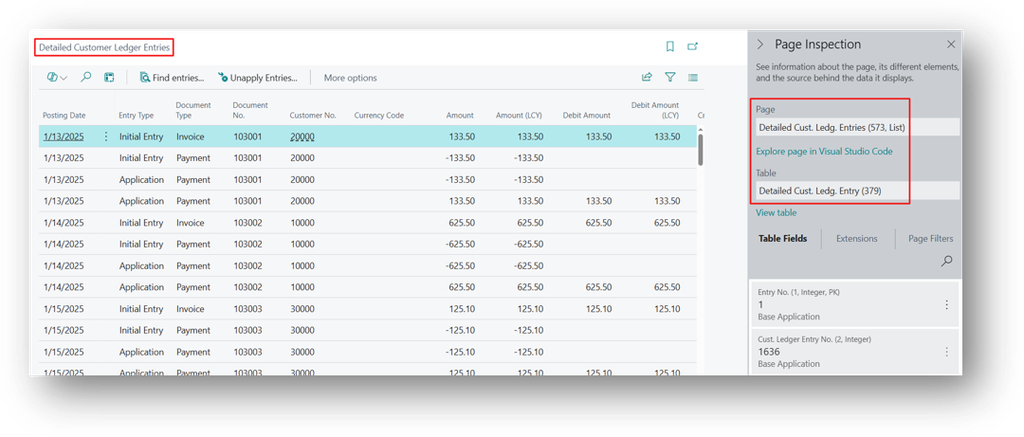
For Vendors, system uses Detailed Vendor Ledg. Entry (table 380) (Page 573, List)
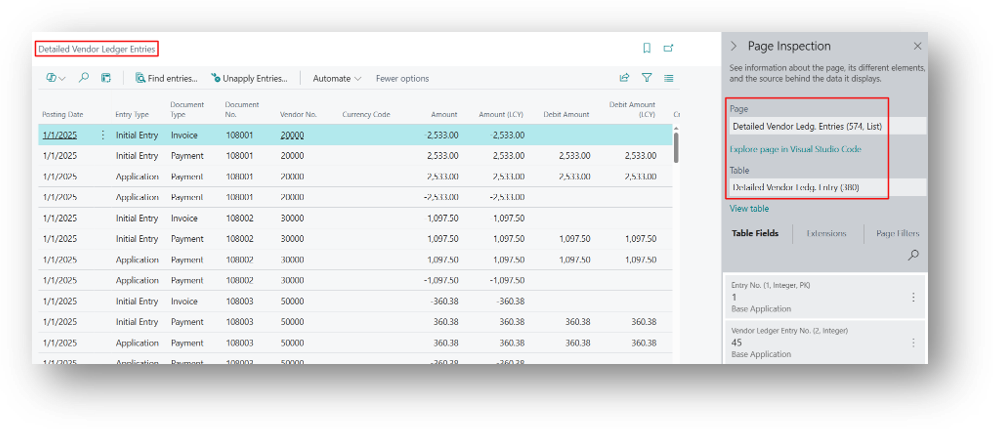
From Ledger Entries to Detailed Ledger Entries
On the Customer Ledger Entries, select a line, then open the Navigate action, or use Apply Entries history. From a G/L account, the Detailed Ledger Entries action on a Customer/Vendor Ledger Entry line opens the underlying table directly.
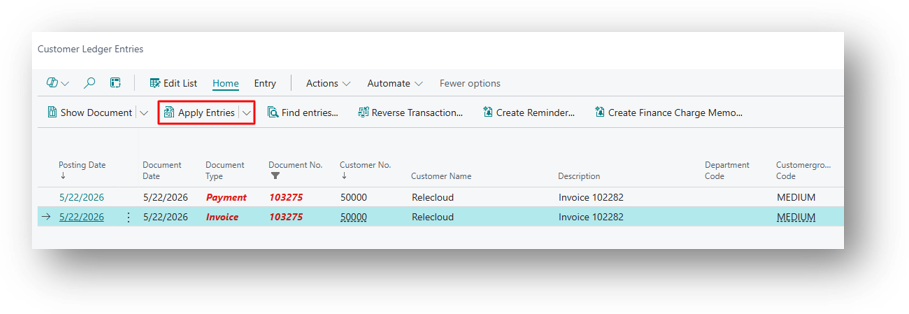
Why 2 Separate Tables
The Ledger Entry answers, “What is the Current Status of this Invoice.”
The Detailed Ledger Entry answers “How did it get to that status.”
Example
Gulf Star Trading posts a sales invoice for GBP 10,000 to Customer C-1001. This creates one Customer Ledger Entry:
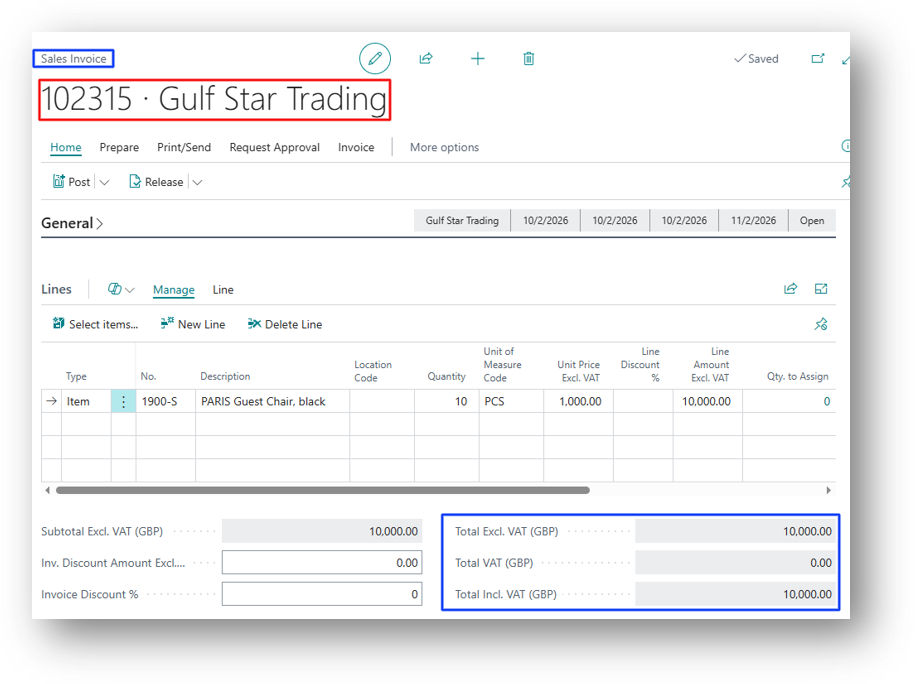
- Document Type “Invoice”, Amount “GBP 10000”, Remaining Amount GBP “10000”, Open = Yes.
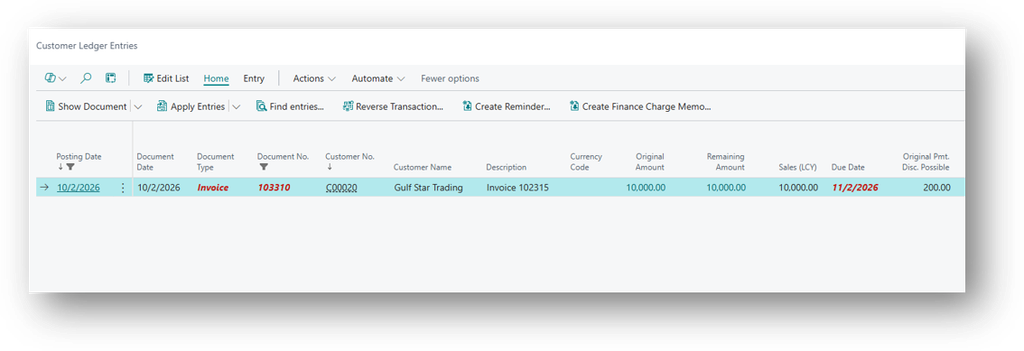
Business Central creates One Detailed Customer Ledger Entry:
- Entry Type Initial Entry, Document Type Invoice, Amount GBP 10000.
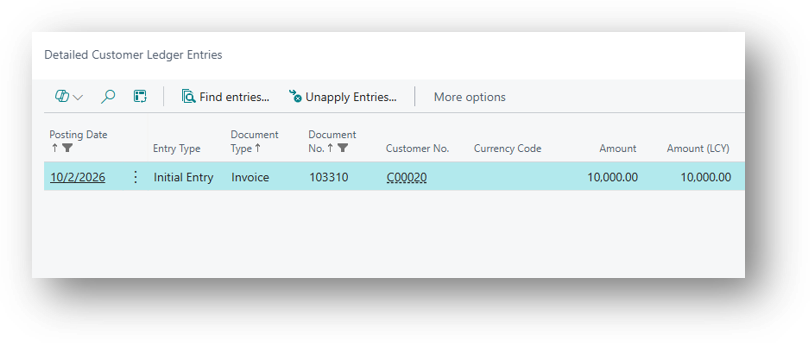
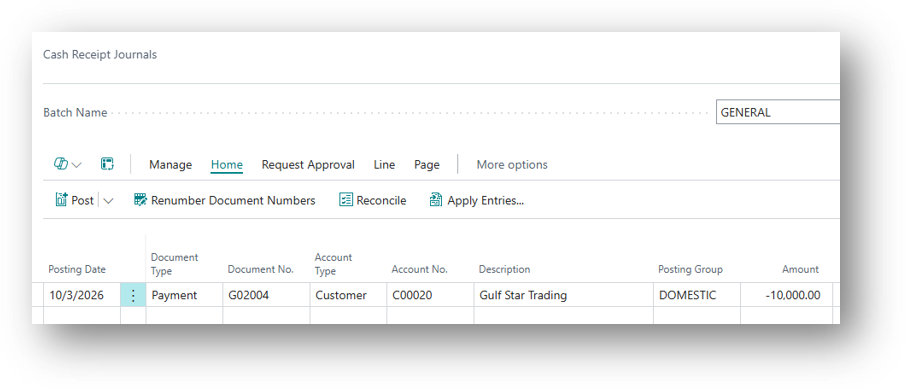
Two weeks later, the customer pays GBP 9800 and takes a 2 percent, GBP 200 payment discount. The user applies the payment to the invoice.
- The Customer Ledger Entry for the invoice is now closed, with Remaining Amount GBP 0. A New Customer Ledger Entry is created for the payment, Document Type Payment, Amount GBP -9800. The Ledger Entry for the invoice only shows that it is closed. The four Detailed Ledger Entries explain exactly how it was closed: GBP 9,800 by the payment and GBP 200 by discount.
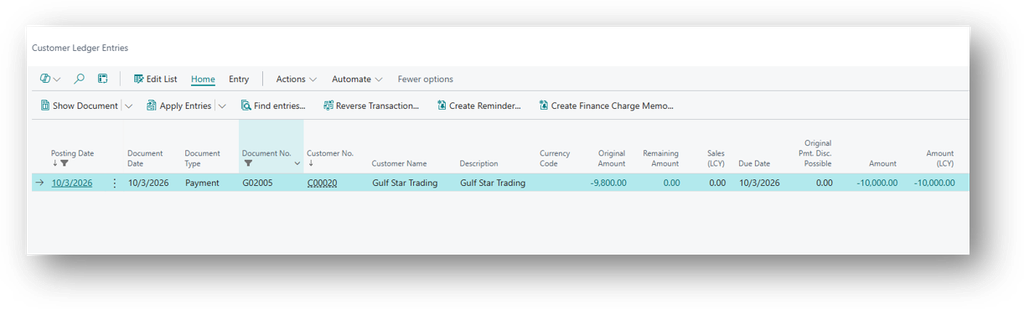
But Four New Detailed Cust. Ledg. Entries are created:
| Entry Type | Initial Document Type | Document Type | Amount |
| Application | Invoice | Payment | -10,000.00 |
| Initial Entry | Payment | Payment | -9,800.00 |
| Application | Payment | Payment | 10,000.00 |
| Payment Discount | Payment | Payment | -200.00 |
- Application: The Amount that Settles one entry against another, bringing Remaining Amount to Zero.
- Initial Entry: The Original Amount of the Document when it is First Posted.
- Payment Discount: The Discount Amount Granted to the Customer for Paying Early.
What it is Actually Settling – Invoice – Detailed Customer Ledger Entries.
| Entry Type | Initial Document Type | Document Type | Amount |
| Initial Entry | Invoice | Invoice | 10,000.00 |
[ Initial Entry Invoice -> Initial Entry Payment ] Difference will be of Payment Discount.
Hope so this is Helpful 😃