
Purpose
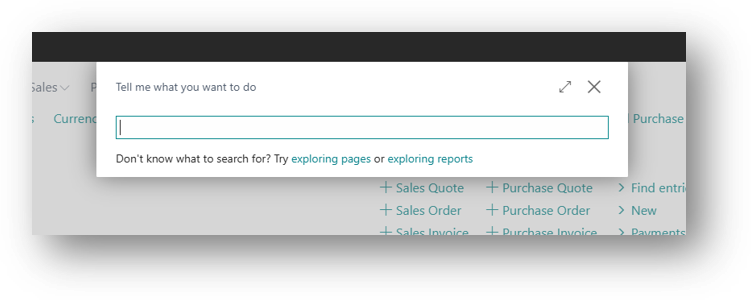
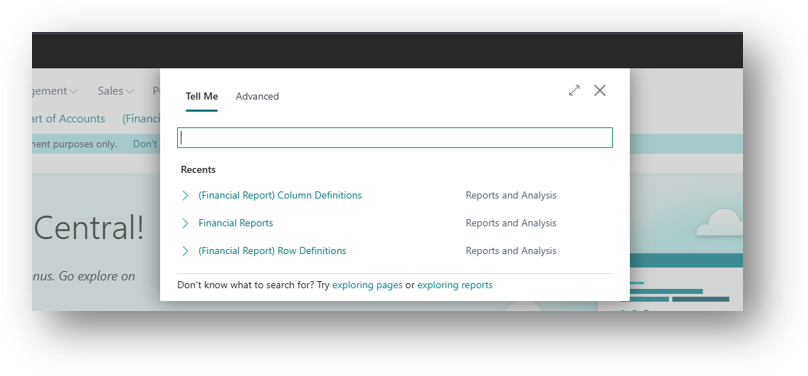
Business Central version 29 adds Show Recently Searched in Tell Me. The search box (Alt+Q) now lists the pages and reports a user searched for recently, so they can be opened again without retyping.
Most users work with a small set of pages every day: a clerk opens Sales Orders, Customer Ledger Entries and the Cash Receipt Journal again. Before this release, each visit through Tell Me meant typing the search term again. Bookmarks help, but only for pages the user has already bookmarked.
Show Recently Searched in Tell Me Availability
| Detail | Value |
|---|---|
| Status | Launched, General Availability |
| Rollout start | October 2026 (Update 29.0) |
| Roadmap ID | 573371 |
| Area | User experience |
| Setup required | None |
How Show Recently Searched in Tell Me Works
When the user opens Tell Me, recent searches are listed before anything is typed. Selecting one runs that search again. The list is personal: each user sees only their own searches.
Version Before 29
Version 29
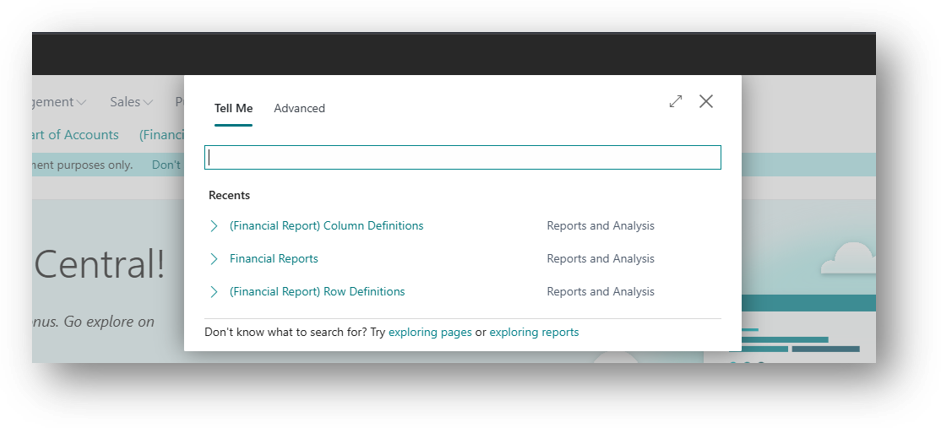
Show Recently Searched in Tell Me Example
My last search was (Financial Report) Column Definition.
Now I will search for Customer Ledger Entries and select Find Entries.
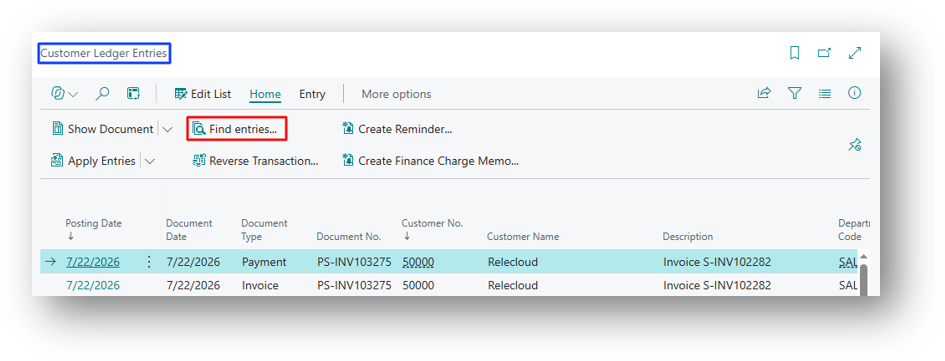
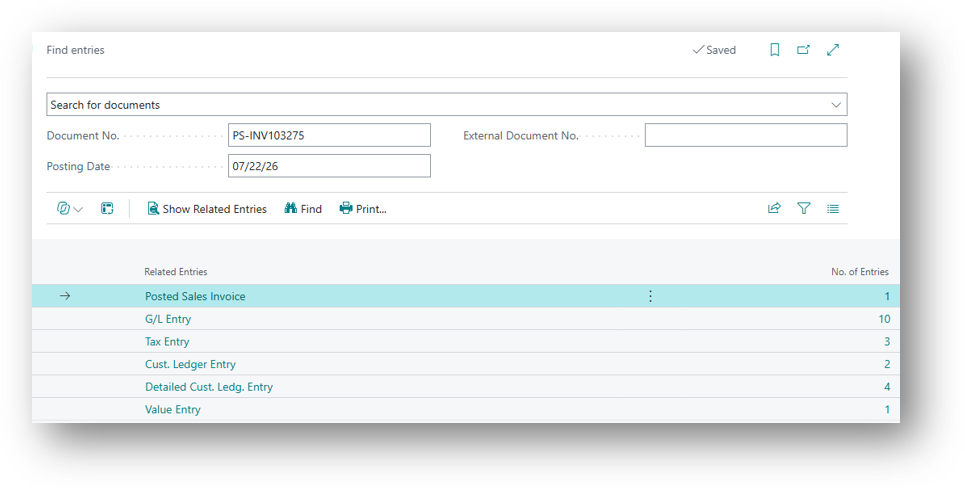
Let’s see the result now.
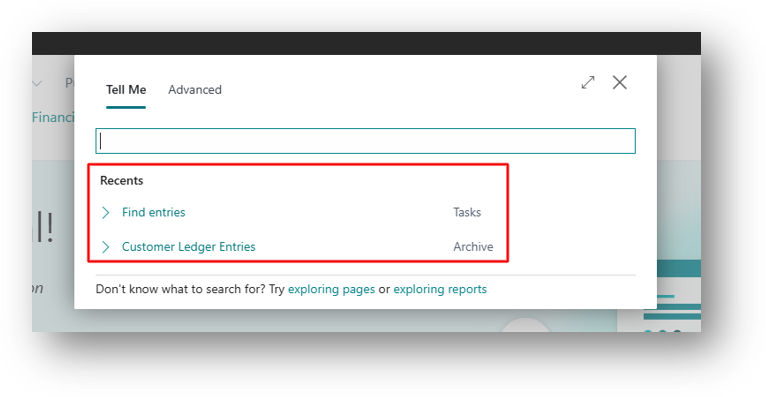
Bookmarks or Show Recently Searched in Tell Me
| Need | Better option |
|---|---|
| Pages used every day, always the same | Bookmark on the Role Center |
| Pages used often, but changing by week or task | Recent Searches in Tell Me |
| Pages for a whole team | Bookmark added to the profile |
Conclusion
Show Recently Searched in Tell Me is a small change that saves time every day. Users who move between the same pages and reports can reopen them from the search box with one click, while bookmarks remain the better choice for pages used every day. For the full list of changes in this release, see What’s New or Changed in Business Central 2026 release wave 2 (Update 29.0) on Microsoft Learn.
Related Articles
If you found this feature useful, these related articles cover other improvements in the same release:
- Recently Used Records in Lookups: A Powerful Time Saver
- Preview Images Directly in the Business Central Web Client
- Run Multiple Financial Reports as a Single PDF
- Business Central Feature Statuses
Hope so this is Helpful 😃