We have already discussed what Item Attributes are in a separate article. In this article, we will discuss how to manage Item Attributes on Item Category.
Item Attribute Blog – https://ahmad365.com/item-attributes/
Rather than repeating the same assignment on every item, you can attach attributes to an Item Category instead, and every item using that category inherits the attribute. For more details, see this Microsoft Learn article.
How to Assign Attributes Through the Item Category Code
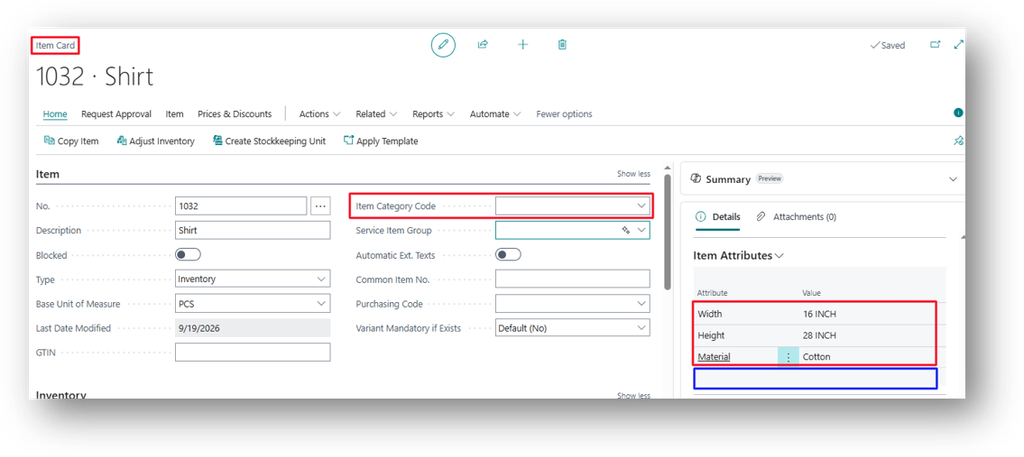
- Open the Item Card
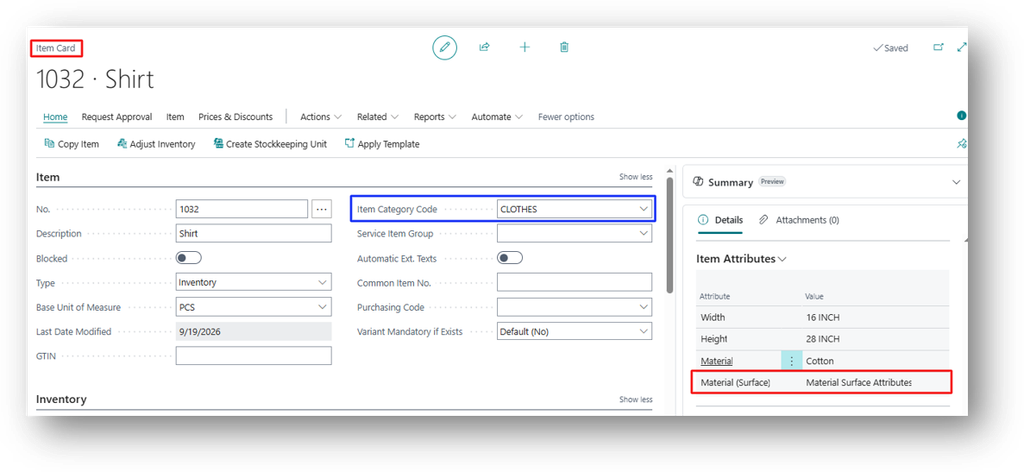
- You can specify the Item Attribute on Category from General (FastTab) > Item Category Code.
- We will take the “Clothes” as an example.
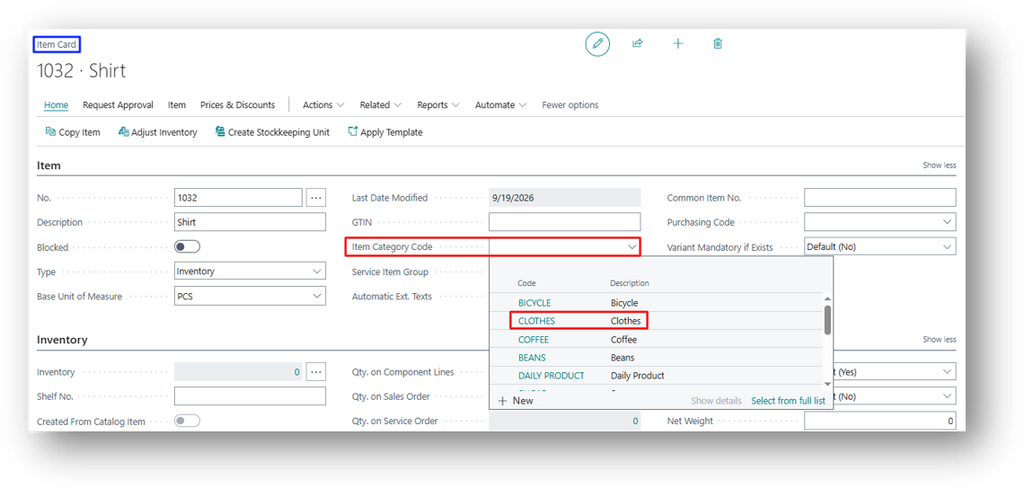
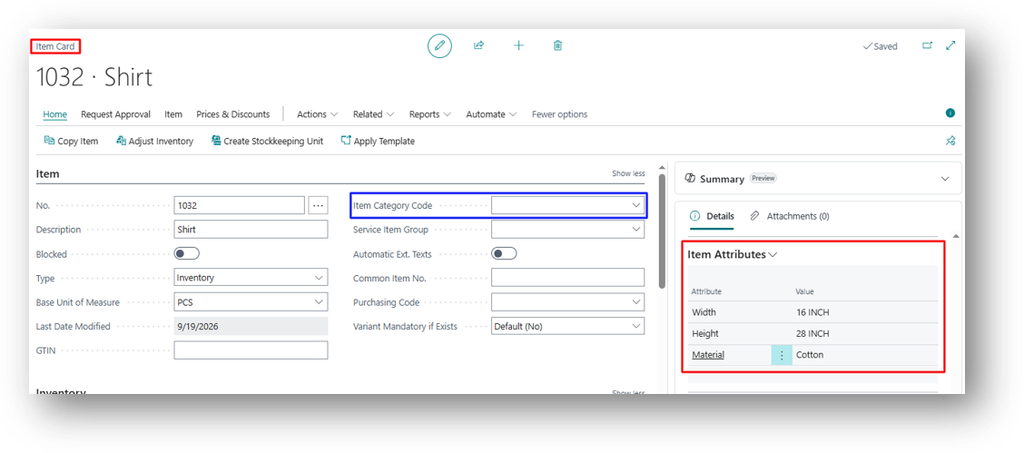
- I specified 3 attributes on the Item Card first. After that, I specified the Category Code.
- Let’s open the Item Category Code Card.
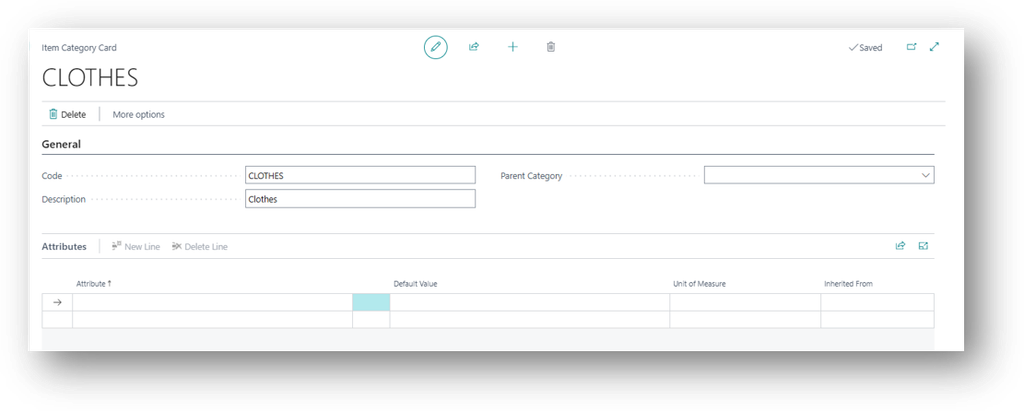
- We will add the attribute over here.
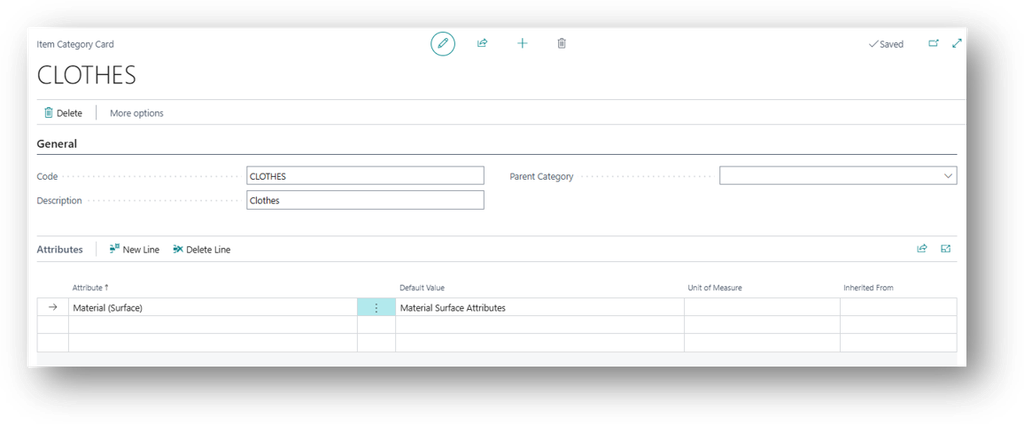
- Now we will see what happens if we specify the “CLOTHES” Item Category Code. It brings that default attribute to the Item Card.
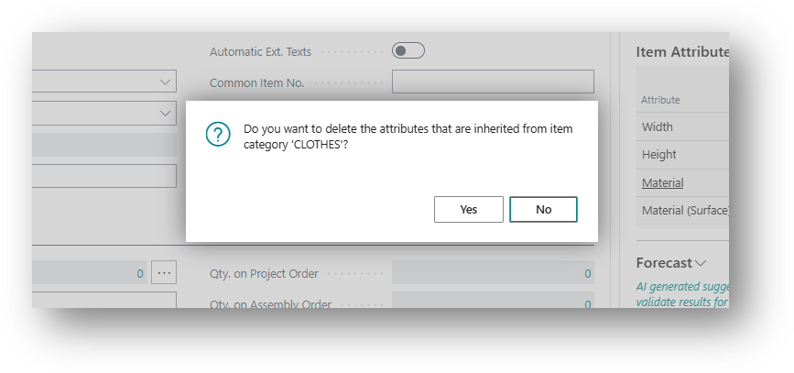
- Now, if we remove that category, it will ask me whether to remove the attribute.
How Inheritance Works
Item attributes set on the item category act as defaults. When you assign the category to an item, they are copied to the Item Card, where you can still change them. If the category is removed later, Business Central asks whether to remove the inherited values as well.
Why Use Attributes on the Item Category
Assigning them once per category saves time and keeps master data consistent. For example, all products in the CLOTHES category can share Material and Season, so none is created without them.
Tips for Setting Up Category Attributes
- Plan your categories first, so each one has a clear set of characteristics.
- Use the Option type for values that should come from a fixed list, such as Colour or Size.
- Keep attribute names short and consistent, because users see them when they filter lists.
- After assigning a category, open the Item Card and check that the values are correct.
Conclusion
Setting up item attributes on the item category once saves a lot of repeated work. As a result, filtering and reporting become more reliable across the whole category.
Related Articles
If you manage item master data, these related articles may also help:
- Physical Inventory Journal
- Item Attributes on Item Card
- Item Attributes on Item Variants
- Item Ledger Entries vs Value Entries
Hope so this is Helpful 😃