

We have already discussed in Separate Article that what is Item Attributes and in this Article will discuss how to manage Item Attributes on Item Card.
Item Attribute Blog – https://ahmad365.com/item-attributes/
To assign a value to an Item Card:
- Open the Item Card
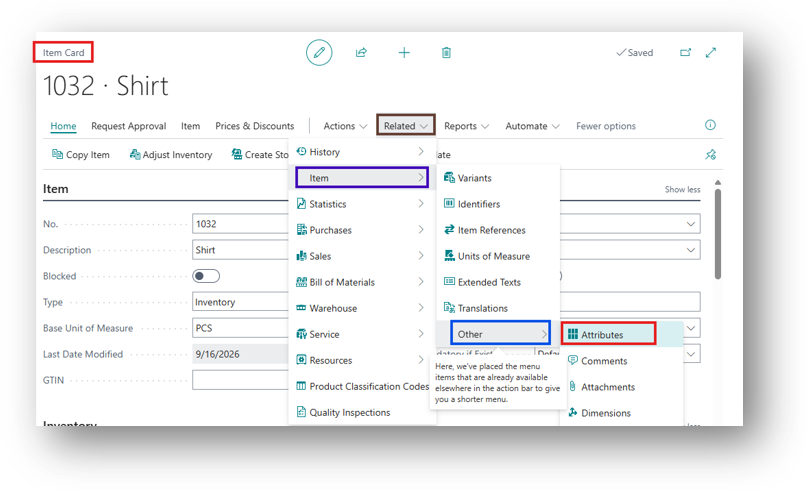
- You can specify the Item Attribute from Related > Item > Other > Attributes.
- Or you can specify the value from Factbox as well.
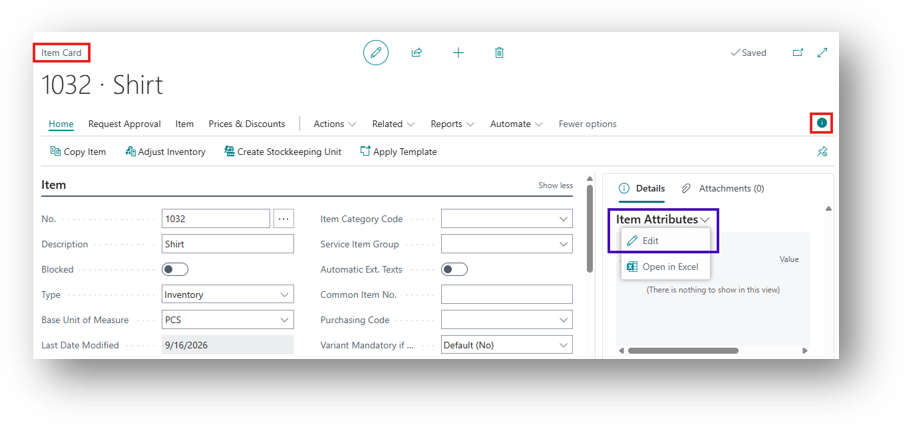
- I have explained the Sources, pick any one of them and it will open the Attribute Page.
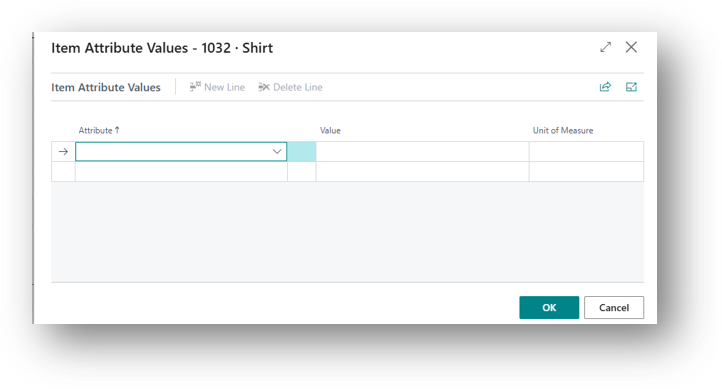
- Now Select the Attributes of your own choice and Enter the Values. For Option Type it will give your drop-down only. For other it should be entered Manually.
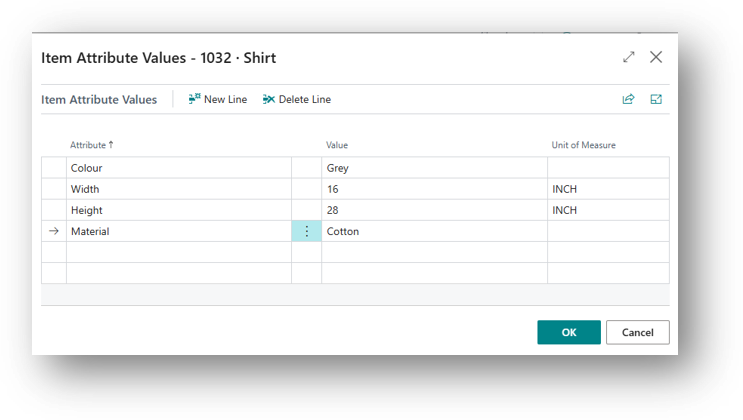
- Click on OK then it will specify that Attribute on Item Card.
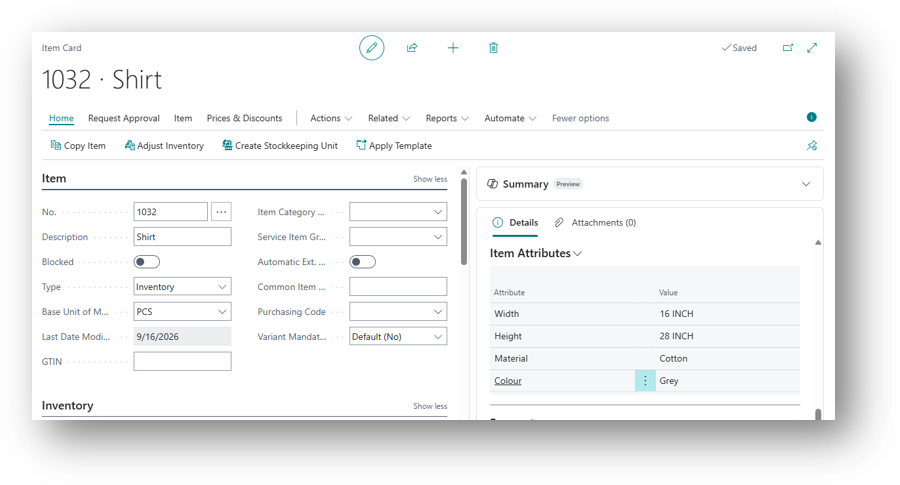
- The same attribute can be assigned to as many items as needed, each with its own value.
Hope so this is Helpful. 😊