
We have already discussed in Separate Article that what is Item Attributes and, in this Article, will discuss how to manage Item Attributes.
Item Attribute Blog – https://ahmad365.com/item-attributes/
Rather than repeating the same assignment on every item, you can attach attributes to an Item Category Instead and every item using that category inherits the attribute.
To Assign a Value through an Item Category Code:
- Open the Item Card
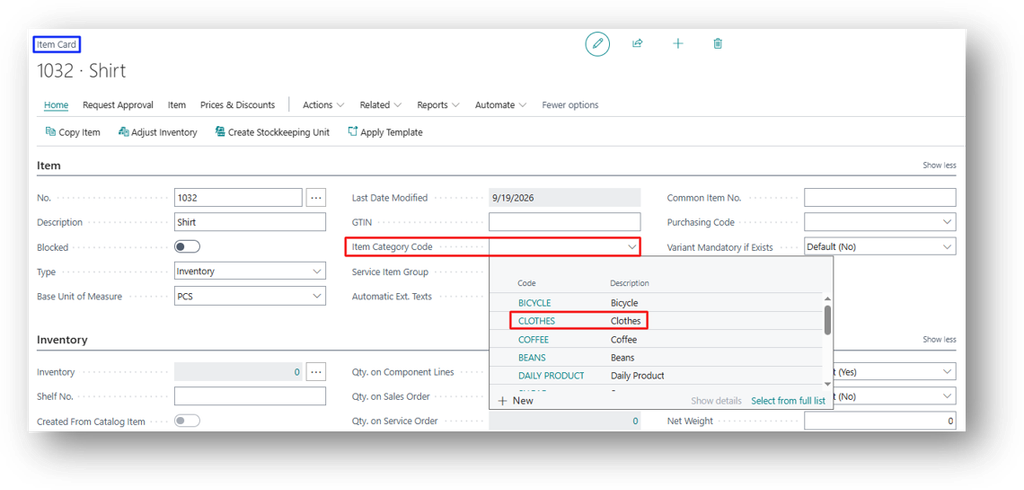
- You can specify the Item Attribute on Category from General (FastTab) > Item Category Code.
- We will take the “Clothes” as an example.
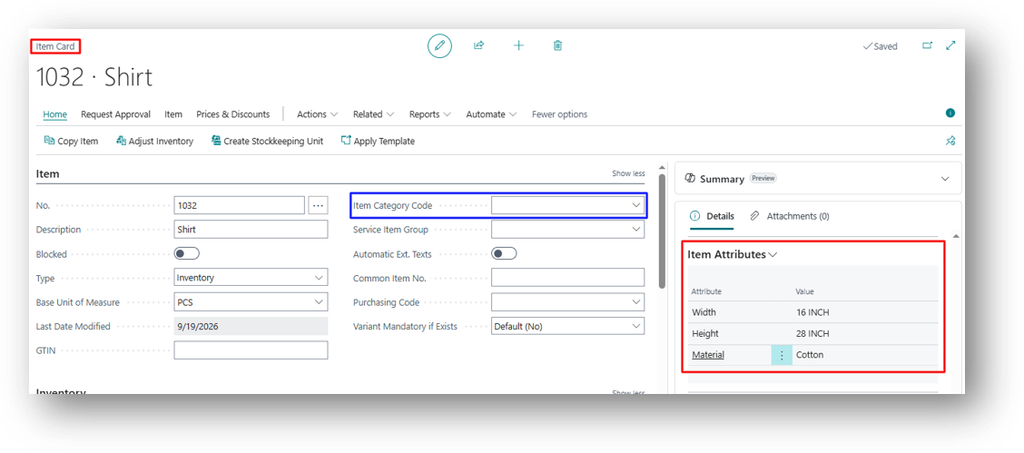
- There are 3 Attributes which I specify on item card before specifying the Category Code.
- Let’s open the Item Category Code Card.
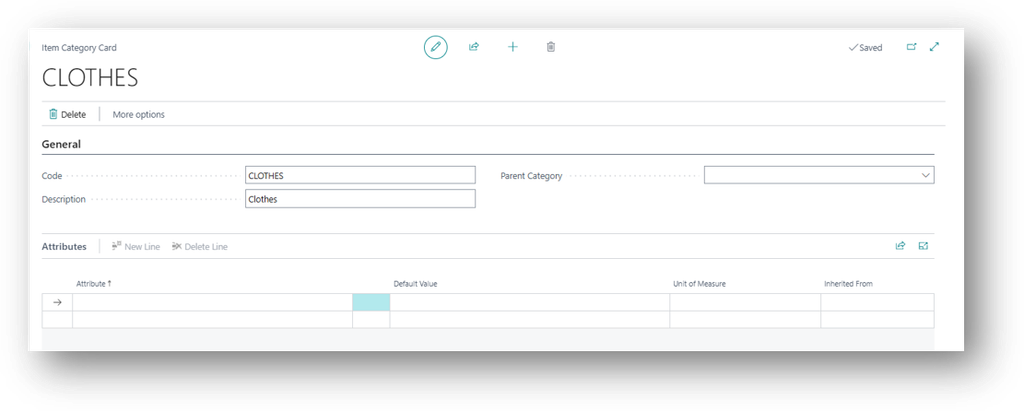
- We will add the attribute over here.
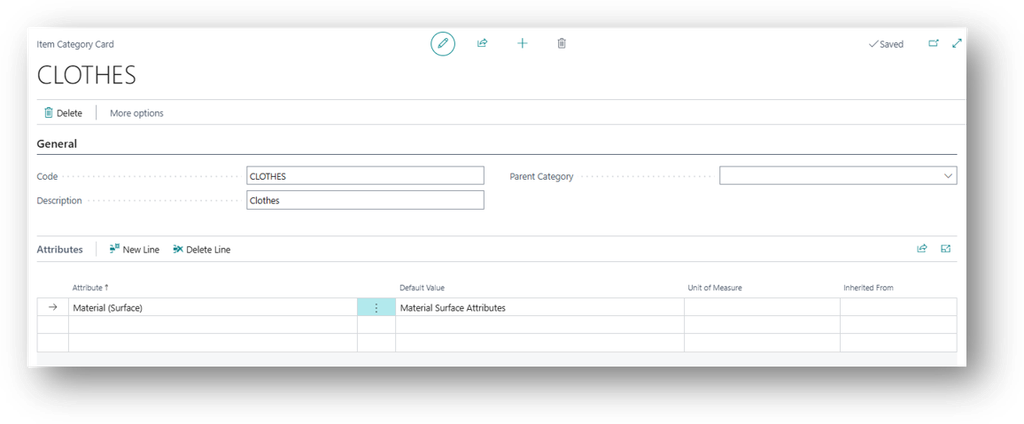
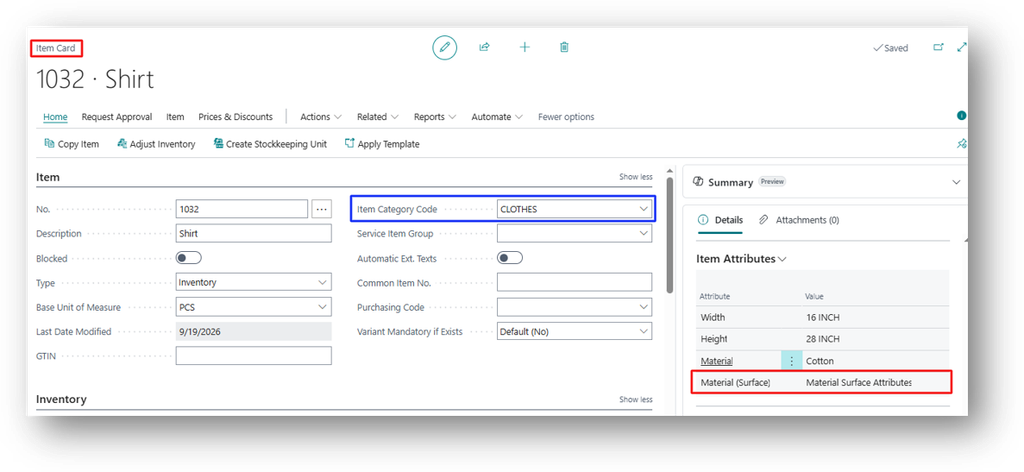
- Now will see that if we specify the “CLOTHES” Item Category Code than it will bring that default attribute to the Item Card.
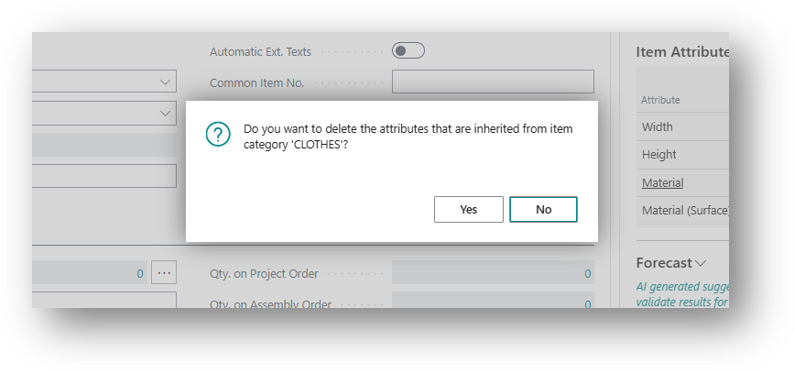
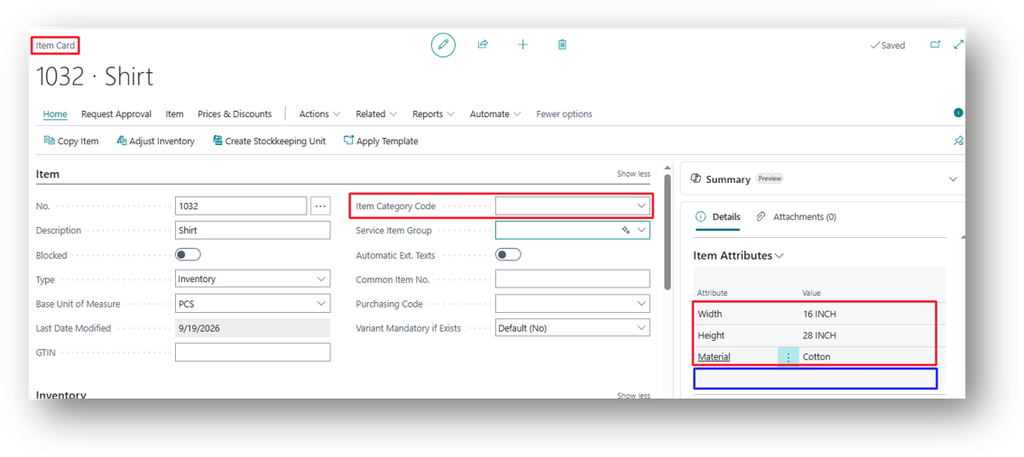
- Now if we remove that Category than it will ask from me about Attribute removal.
Hope so this is Helpful 😃