

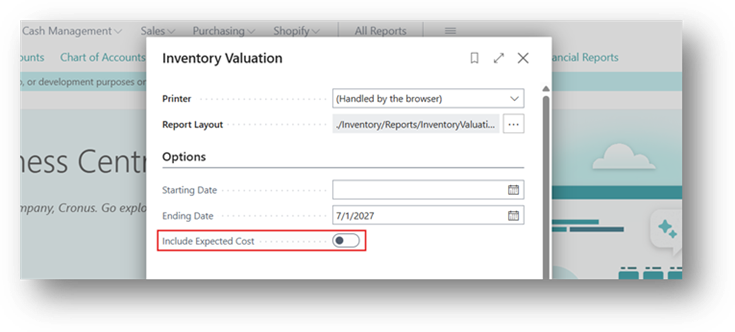
The Inventory Valuation report in Business Central has a boolean called Expected Cost Included. It’s a small checkbox, but it changes what population of item ledger entries the report actually pulls in and getting it wrong is one of the more common reasons inventory valuation figures don’t match what a user expects to see.
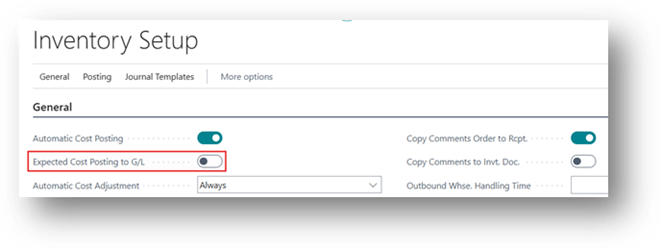
Inventory Setup
For the Complete Scenario we will consider that the Expected Cost Posting to G/L is disabled on Inventory setup.
To read about this Boolean in more detail read this Blog – Link
What Report Normally Shows
By default, the Inventory Valuation report calculates inventory value based on Actual Cost. The cost that’s been confirmed through a Posted Purchase Invoice (or Posted Sales Invoice, on the outbound side).
What Expected Cost Included
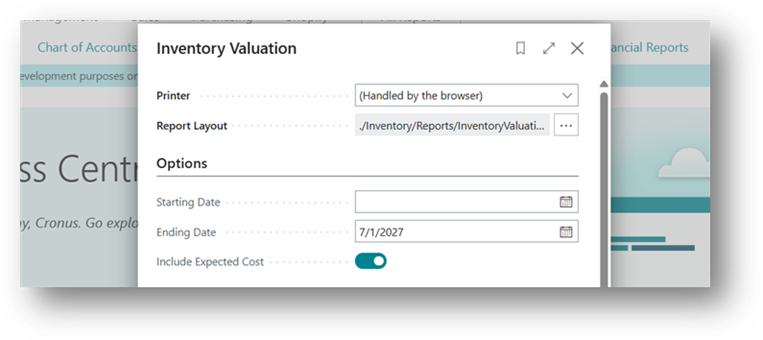
When this boolean is turned on, the report expands its scope to also include transactions that have only an expected (estimated) cost, meaning the item was physically received (or shipped), but the corresponding invoice hasn’t been posted yet.
Purchase Side
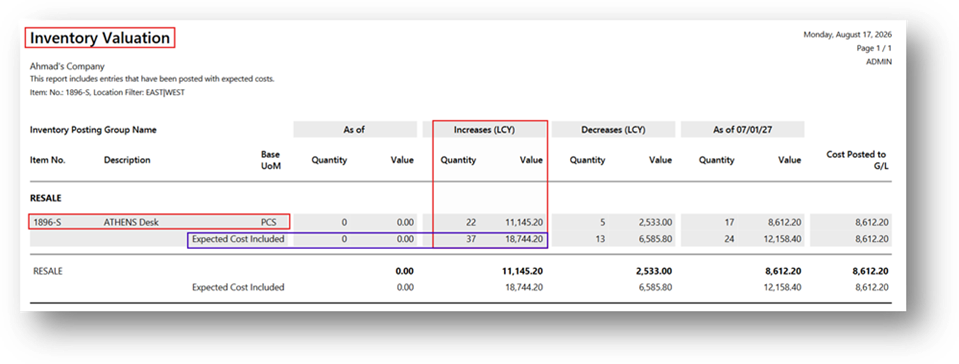
If you receive 37 Quantities of an Item on a Purchase Order, but the vendor invoice hasn’t arrived yet for 15 Quantity, the system still knows those units are sitting in your warehouse. It assigns them an expected cost (typically based on the PO’s unit cost or last Purchase Price) so inventory isn’t understated just because paperwork is delayed.
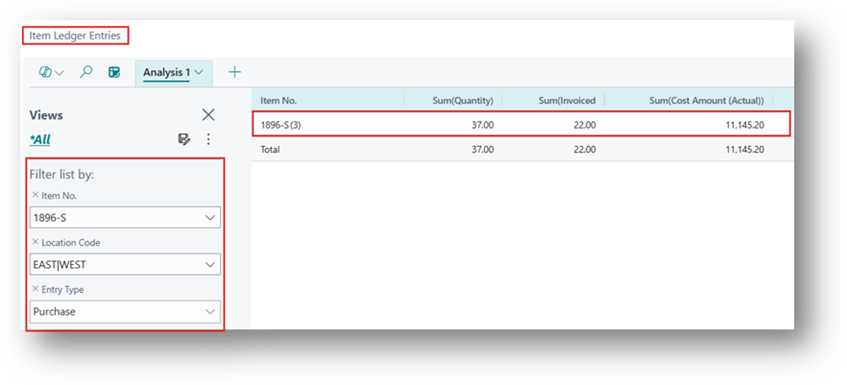
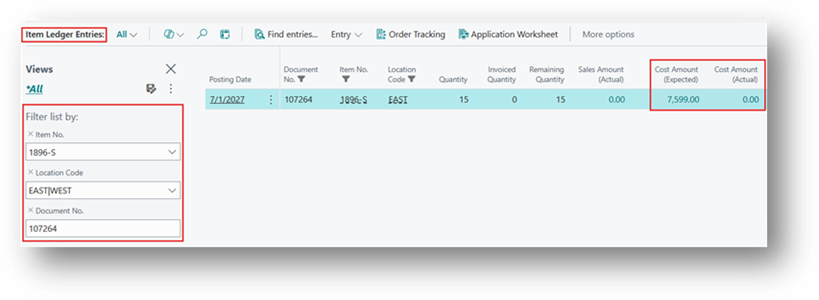
With Expected Cost Included = Yes, this receipt line shows up in the Inventory Valuation report, using the expected cost as its value.
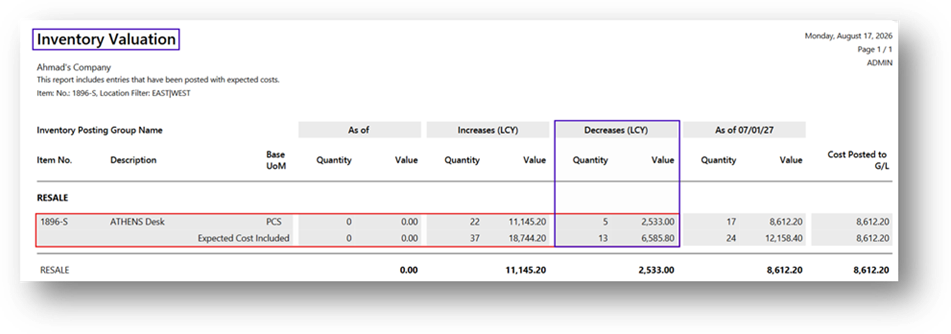
With Expected Cost Included = No (default), this line is excluded and the report only reflects units that have been fully invoiced.
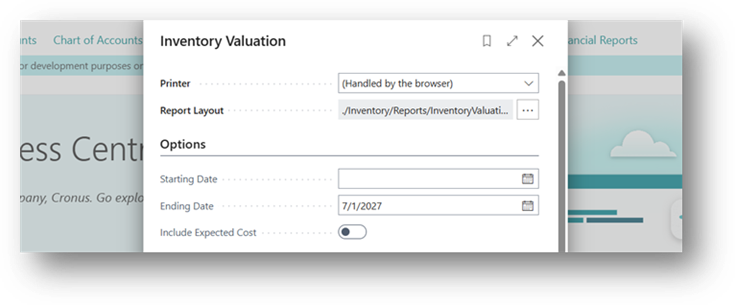
So, from these screenshot’s you can understand that how it is actually working.
Sales Side
The same logic applies in reverse. If you ship goods to a customer but haven’t posted the sales invoice yet, the outbound transaction can carry an expected cost for COGS purposes.
Why This Matters in Practice
Two people running the same report on the same day, with this one setting different, can get two different inventory value totals and both are technically “correct,” just answering different questions:
- Expected Cost Included = No “What is my inventory worth based on confirmed, invoiced costs only?” (more conservative, audit-friendly view)
- Expected Cost Included = Yes “What is my inventory worth right now, including goods that have physically moved but haven’t been invoiced yet?” (more operationally complete view, useful for real-time stock valuation)
Neither is wrong, it depends on whether the reader wants a strictly invoiced financial view or a full physical/operational view.