We have already discussed what Item Attributes are in a separate article. In this article, we will discuss how to manage Item Attributes on Item Card. For setup details, see this Microsoft Learn article.
Item Attribute Blog – https://ahmad365.com/item-attributes/
How to Assign Item Attributes on Item Card
- Open the Item Card
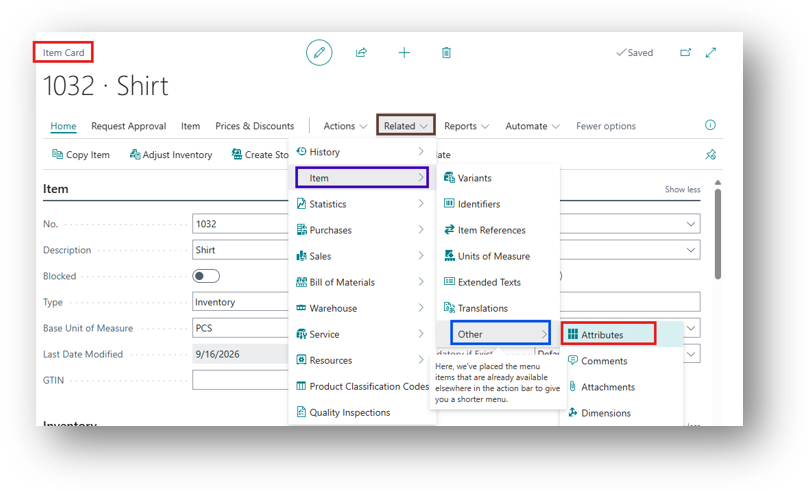
- You can specify the Item Attribute from Related > Item > Other > Attributes.
- You can also specify the value from the FactBox.
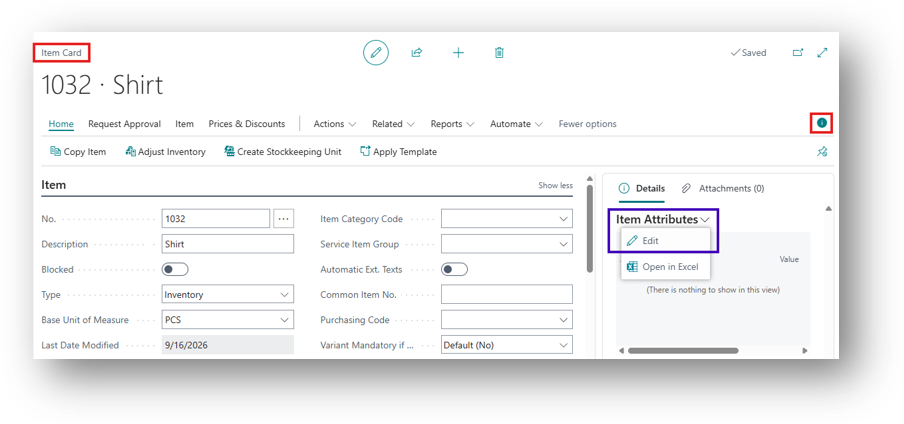
- I have explained both sources. Pick either one, and it opens the Attributes page.
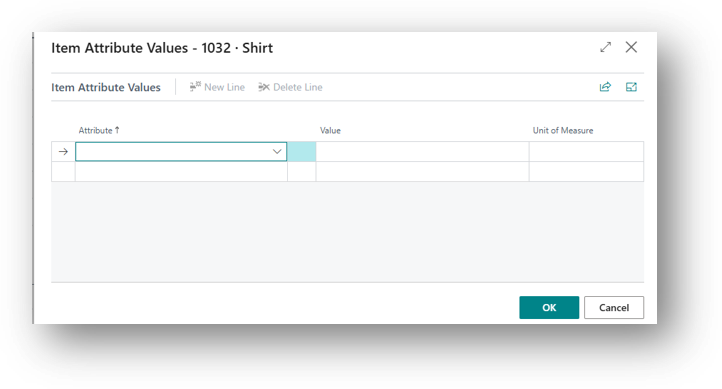
- Now select the item attributes you need for the Item Card and enter the values. For the Option type, you choose from a drop-down list. For other types, you enter the value manually.
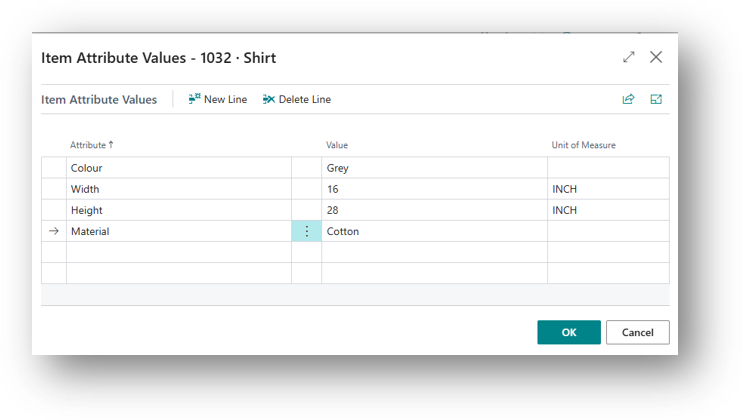
- Click OK, and the attribute is specified on the Item Card.
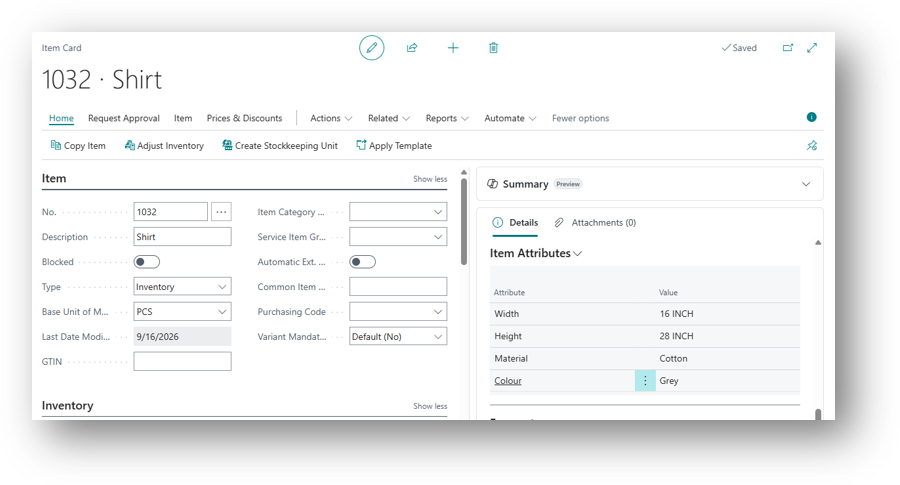
- The same attribute can be assigned to as many items as needed, each with its own value.
Value Types to Know
The way you enter item attributes on the Item Card depends on the value type. Text and number values are typed in, while Option values come from the list you defined during setup. Date values use the normal date picker.
Why Use Item Attributes on Item Card
Storing characteristics such as colour, material or size directly on the item keeps them in one place. As a result, users can filter the Item List by these values and report on them instead of checking spreadsheets.
Conclusion
Assigning item attributes on the Item Card from the Related menu or the FactBox takes only a few clicks. Therefore, it is a good habit to fill in the values whenever a new item is created.
Related Articles
If you work with item attributes, these related articles cover the full setup:
- Item Attributes
- Item Attributes on Item Variants
- Item Attributes on Item Category
- Item Attributes Filter on Item List
Hope so this is Helpful 😃