
This field exists on both the General Journal Template and the General Journal Batch, and controls whether VAT-related posting information is filled in automatically on journal lines.
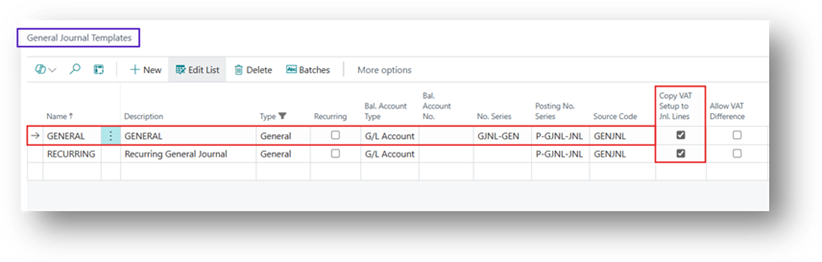
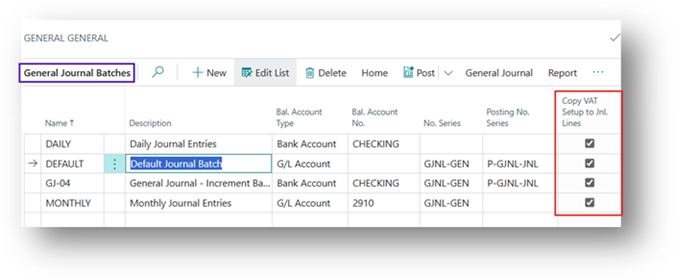
What it Does
When this option is selected, Business Central automatically populates the General Posting Type, Gen. Bus./Prod. Posting Groups, and VAT Bus./Prod. Posting Groups on each journal line using the defaults from the account (and balancing account) entered on that line. VAT is then calculated automatically based on those posting groups.
Practical Example
Amount Inclusive Tax – 100.00
VAT % – 20%
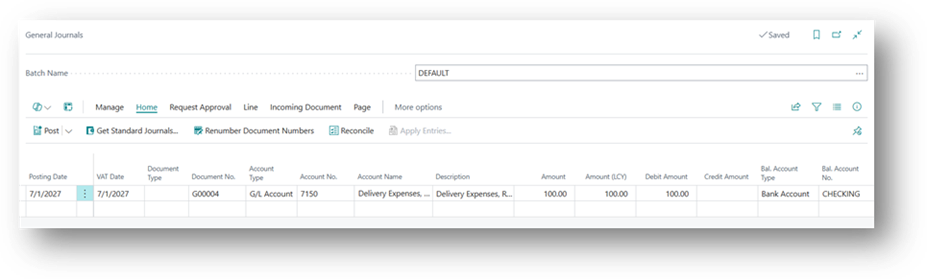
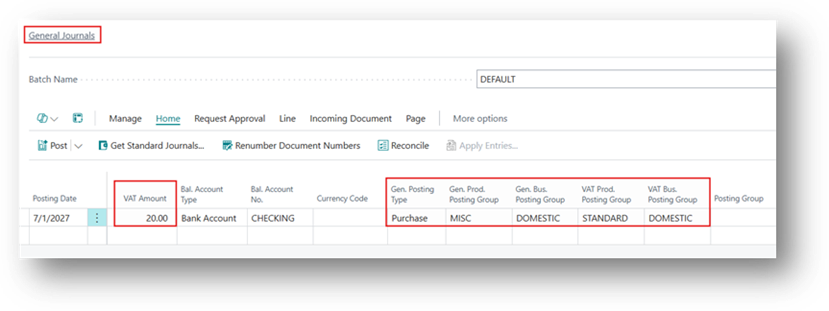
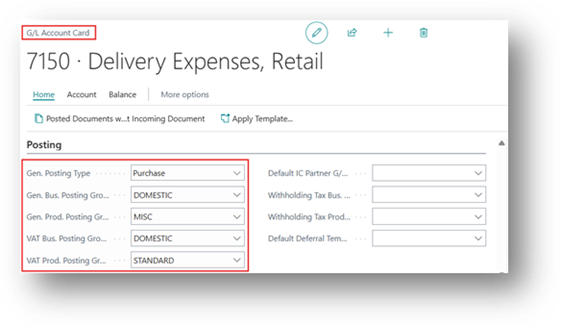
- And why system brings these specific posting groups because in the G/L Account we specified these all Posting Groups.
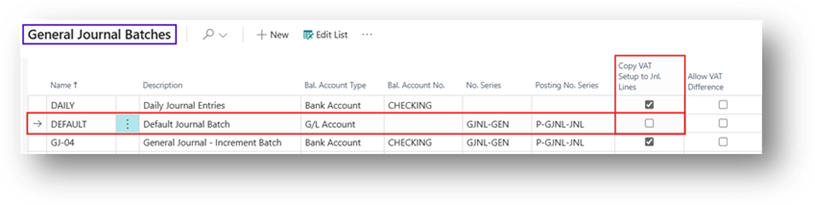
- What if we disable the Boolean on the General Journal Batch.
- Creating the Same Example.
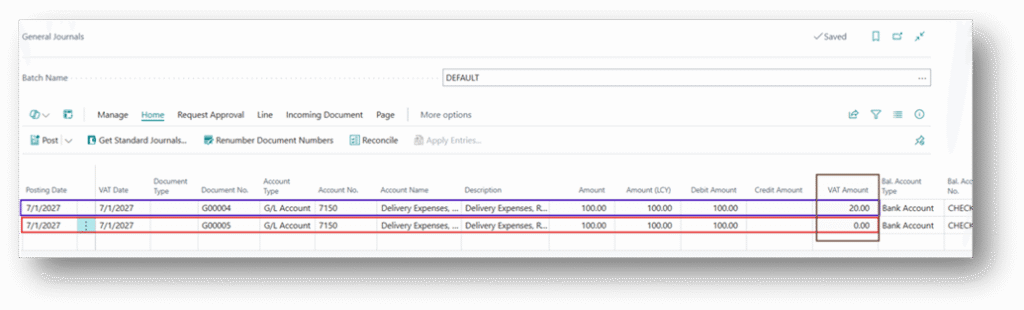
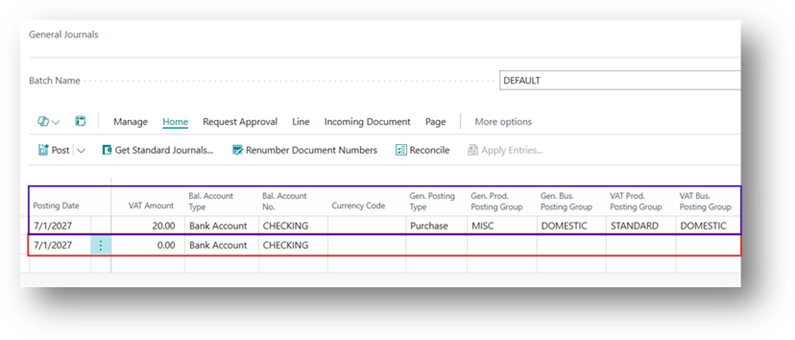
- Now you can see that Posting Details are not coming in Journal Lines.
Hope you Find this Article Helpful! 🙂😊