

This field relates to how attachments registered through the Incoming Documents feature behave once the document or journal line they are linked to is posted.
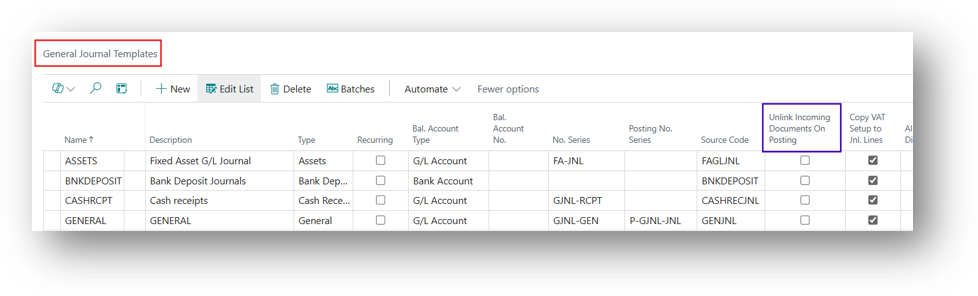
How does Incoming Document works will be discussed is a Separate topic and, in this Blog, will discuss just this Specific Feature.
What it Does
Incoming Documents allow users to attach files such as scanned invoices or PDFs to purchase, sales, or journal documents. Normally, the attachment remains linked to the posted document after posting. When this setting is enabled, the attachment is not carried forward to the posted entry, so the Incoming Document and posted record are no longer linked.
Practical Example
In First Scenario we will disable the Boolean on general Journal Template.
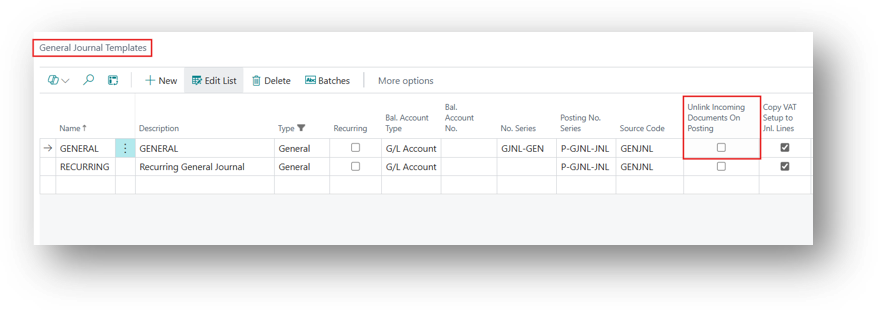
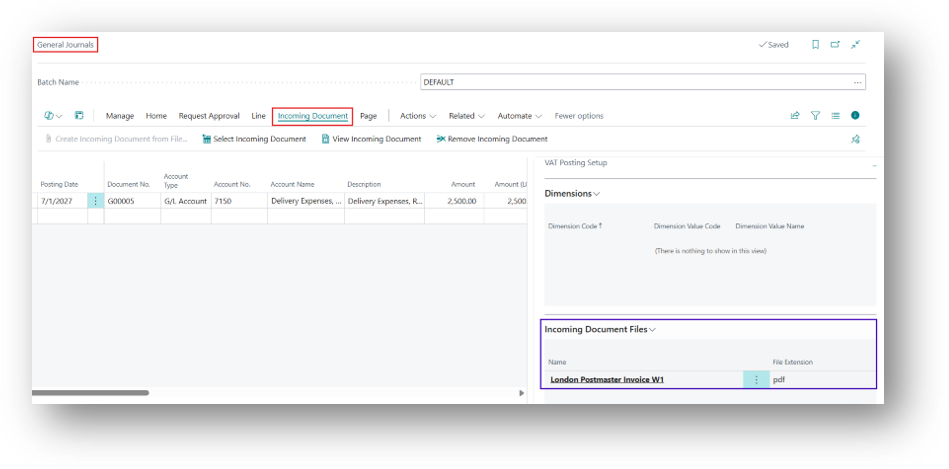
Let’s create a Journal Line and bring the Incoming Document File.
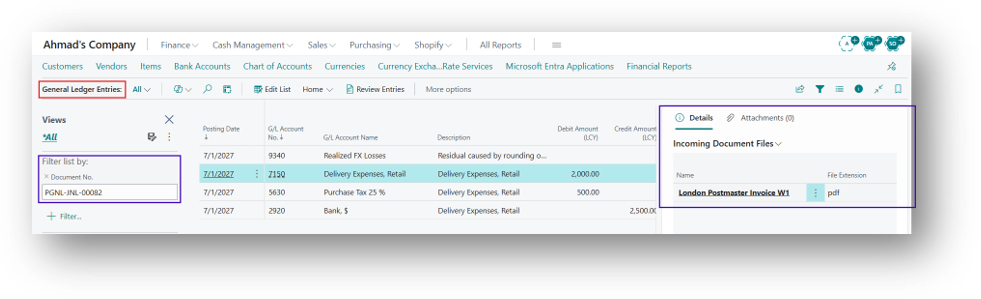
Now will post this entry and then jump to General ledger Entries and you can see document over there.
Now will try to enable the Boolean and then system will give you an error that it will only works for Recurring Journals.
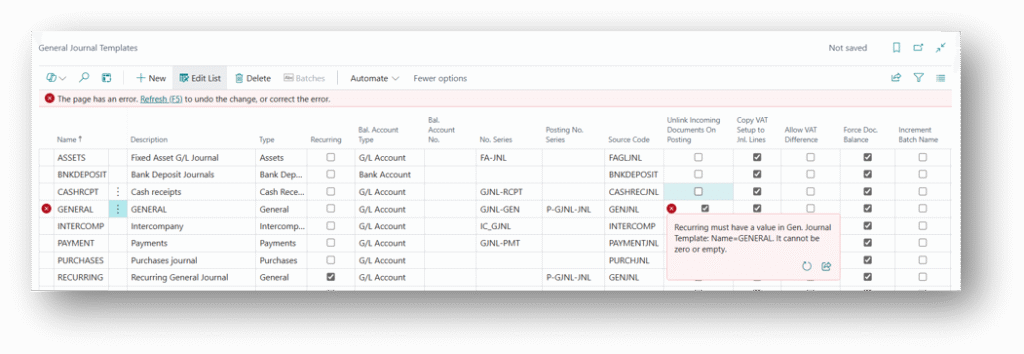
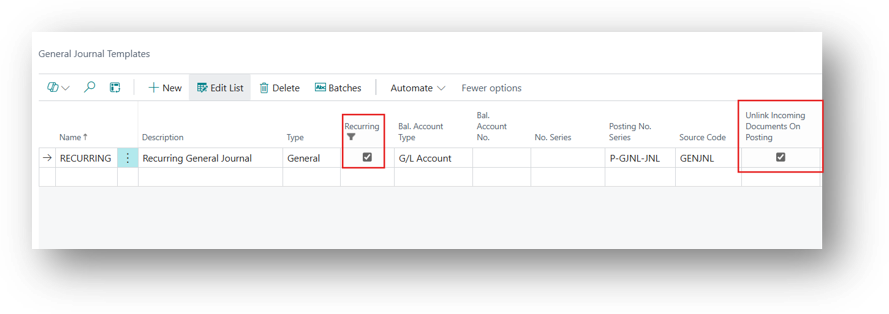
And if I enable it on Recurring then it will allow me and from this the Linking will be discontinued.
Hope you Find this Article Helpful! 🙂😊