

Overview
Every Gen. Journal Template has two number-series fields: No. Series and Posting No. Series. Both determine the Document No., but at different stages
- No. Series is used before posting,
- Posting No. Series is applied at the time of posting.
These Fields exist and flow at Multiple Levels:
Gen. Journal Template → Gen. Journal Batch → Gen. Journal Line → Posted Entries
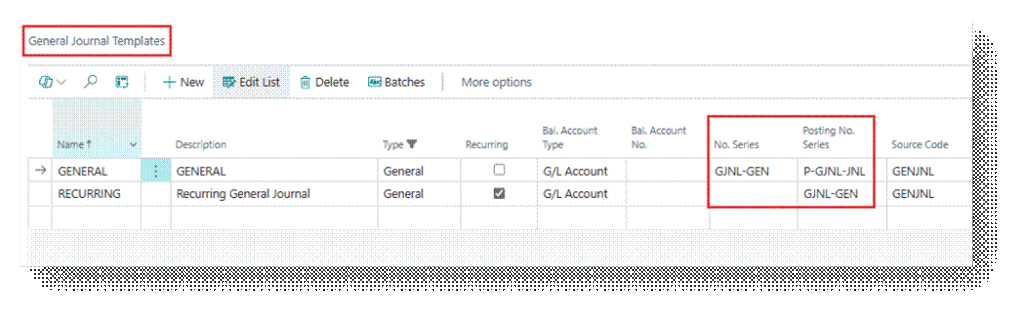
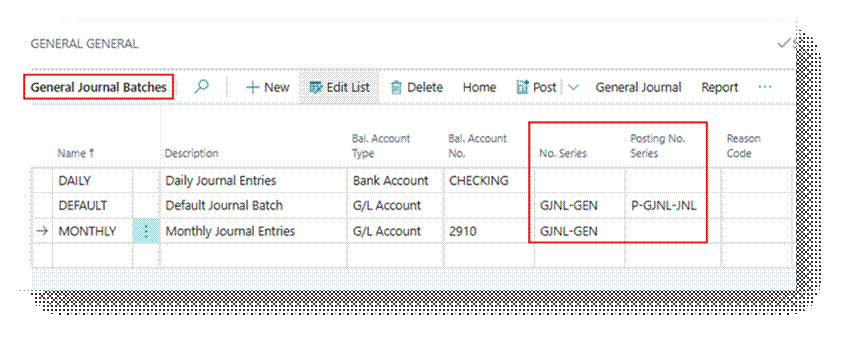
What it Actually Does
No. Series
No. Series assigns the Document No. shown on the journal line while the entry is unposted. If Posting No. Series is blank, this number becomes the permanent Document No. on the posted ledger entry. Let’s take an example and in which Posting No. Series is Blank.
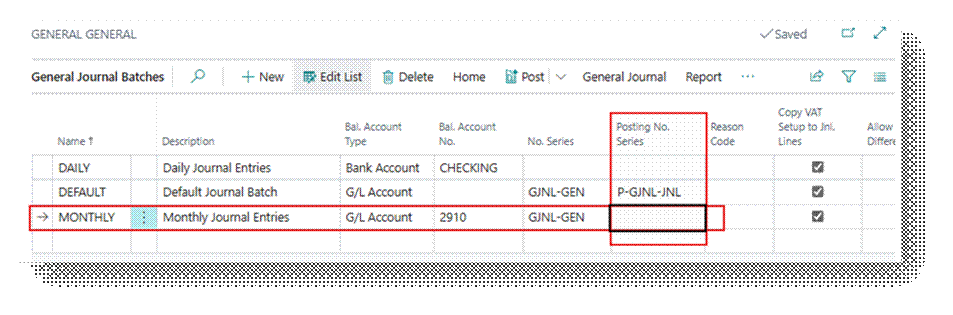
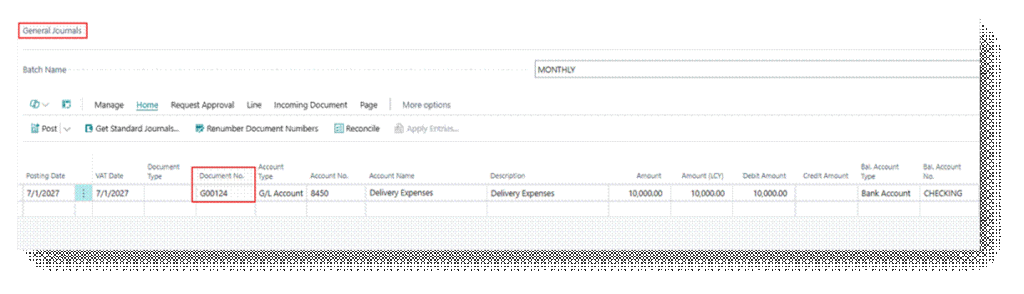
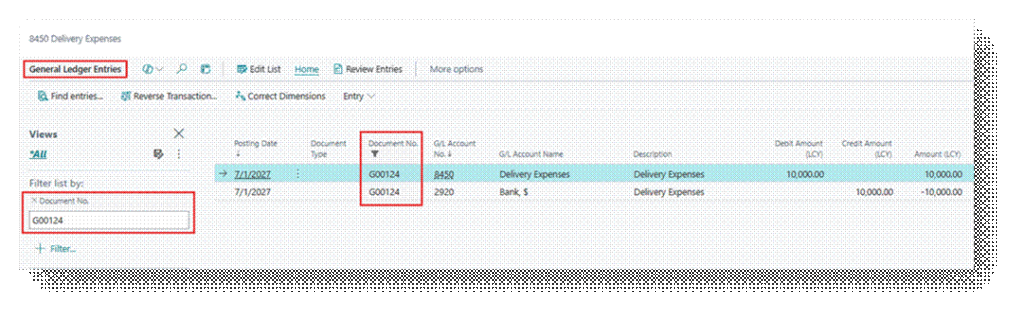
Now you can see here that same number series is flow in the Posted Entry.
Posting No. Series
Posting No. Series assigns the final Document No. recorded in the ledger entries (G/L Entry, Cust. Ledger Entry, Vendor Ledger Entry, etc.) when the journal is posted. When specified, it always takes precedence over the No. Series. The posted entry receives a number from the Posting No. Series.
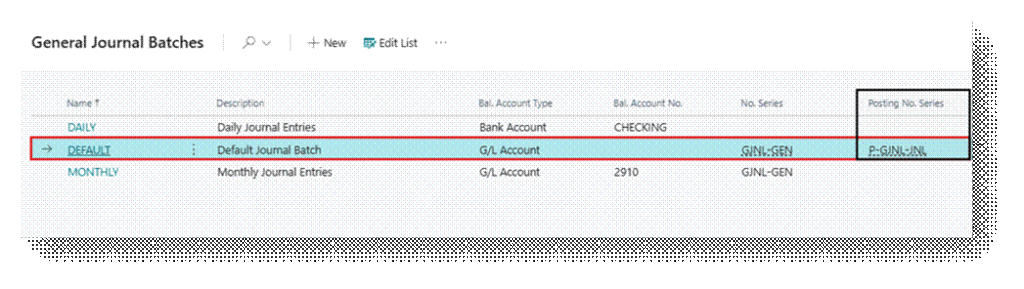
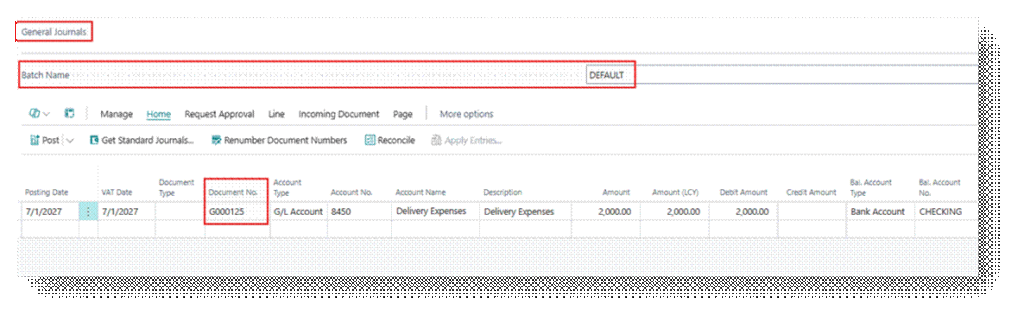
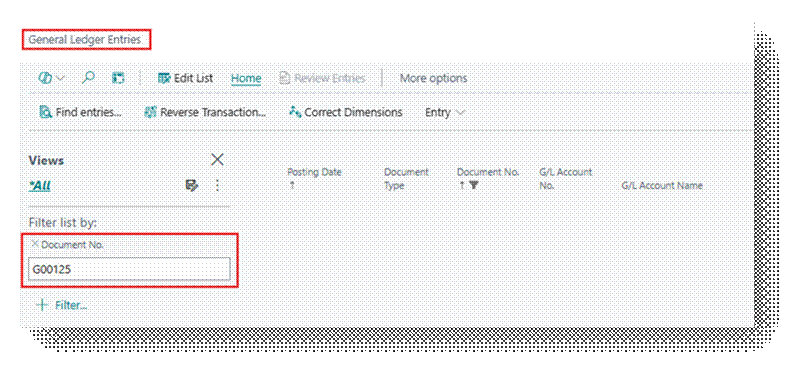
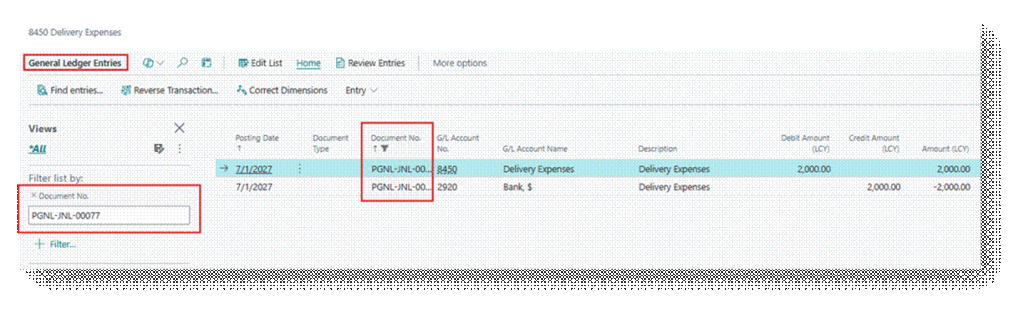
Now you can see from this that it did not bring the G00125 Document Number in Posted one which we specify in the General entry. Rather than it use’s the Posted Number series separately which we specify in Batch.
How the Two Fields Interact
The table below summarizes every practical combination and what happens on the unposted line versus the posted entry.
| No. Series | Posting No. Series | On Journals (Before Posting) | Document No. (Posted Entries) |
| Blank | Blank | Must be entered manually on every line | Whatever was typed manually. No automation, & Duplicate / Gap control will lose. |
| Filled | Blank | Next number from No. Series | Same number carries forward permanently this is the standard setup for most journals (Cash Receipt, Payment, General). |
| Blank | Filled | Blank, or entered manually | Assigned from Posting No. Series at posting time. Mandatory pattern for Recurring journals. |
| Filled | Filled | Next number from No. Series (Temporary Number) | Replaced at posting by the next number from Posting No. Series. The Posted entry will never show that temporary number. |
Recurring Journals (Special Case)
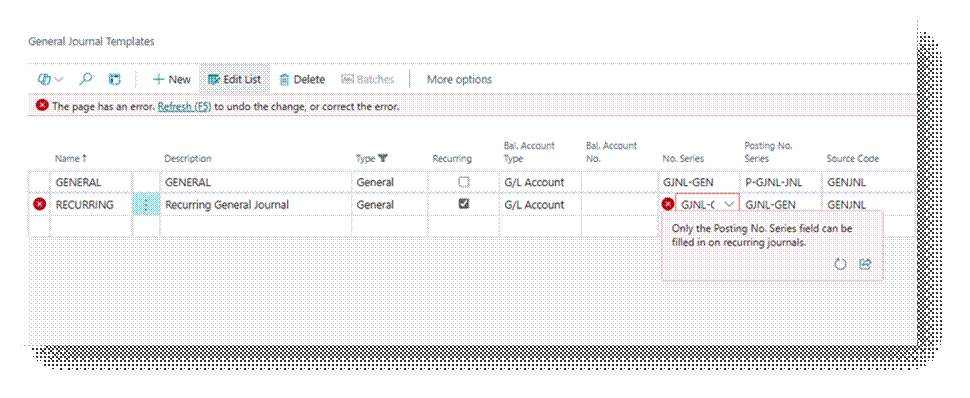
Recurring journal lines are not removed after posting. They stay on the batch to be reused in the next period. Because of this, BC only accepts Posting No. Series be filled in on a Recurring template/batch.
If No. Series were used, the same document number would be reused unchanged every time the recurring line posts, which is not acceptable for auditability.
- Attempting to fill No. Series on a Recurring journal raises the validation error: “Only the Posting No. Series field can be filled in on Recurring Journals.”
Best Practice Guidance
- Use Posting No. Series whenever the posted document number matters for audit, ZATCA/e-invoicing, or reporting. It guarantees a gap free sequence regardless of what happens on unposted lines.
- Use No. Series alone only for low-stakes internal journals where a gap in numbering has no compliance impact.
- Never leave both blank on a template used for regular data entry.
- For Recurring Journals, always use Posting No. Series only. Do not attempt to set No. Series.
- Values set on the Template are just defaults. Review them on each Batch, since Batch-level overrides are easy to miss during setup audits.