Most users believe they can never edit posted documents. In fact, Business Central lets you update a few non-financial fields through the Update Document action, without a correction or credit memo.
Supported Documents
- Posted Sales Shipment

- Posted Sales Invoice

- Posted Purchase Invoice

- Posted Purchase Return Shipment

- Posted Return Receipt
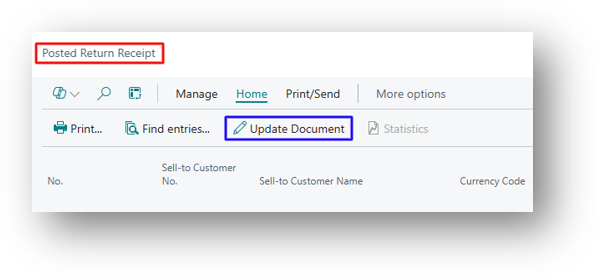
And some other Posted Documents with the same concepts as well.
How to Edit Posted Documents
- Open the posted document, for example Posted Sales Invoices.

- Select the document and choose Update Document.

- A page with “- Update” in its title opens, for example Posted Sales Inv. – Update.
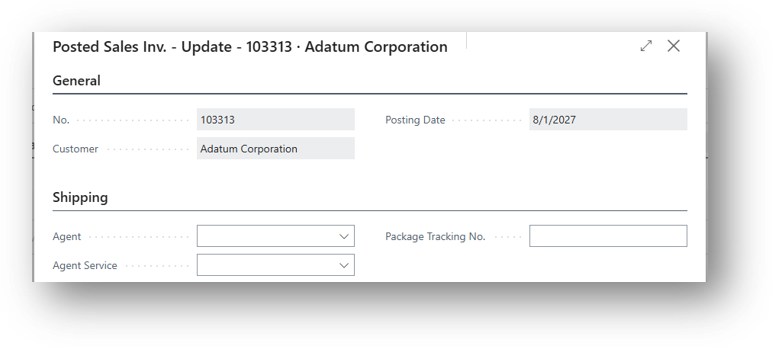
- Change the editable fields and choose OK.
For Example, like:
| Field | Before Update | After Update |
|---|---|---|
| Payment Method Code | Blank | BANK |
| Company Bank Account Code | Blank | CHECKING |
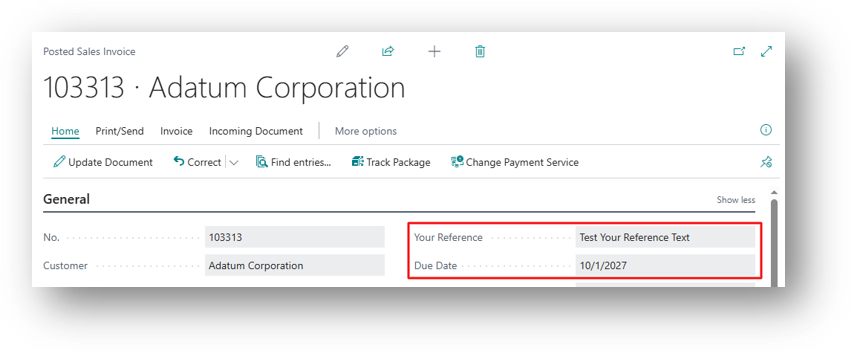
| Your Reference | Blank | Test Your Reference Text |
| Due Date | 9/1/2027 | 10/1/2027 |
Before Update

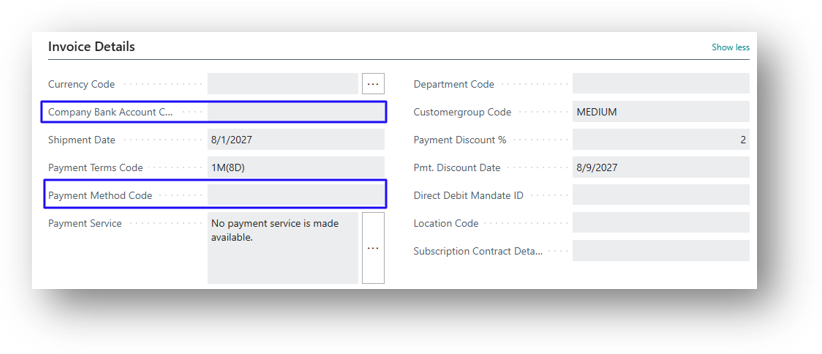
Applying Update

After Update

Key Points
- You cannot change amounts, posting date, customer or vendor here. For those, use Correct or Cancel on the posted invoice.
- From Business Central 2025 release wave 1, the Hide Company Bank Account field in General Ledger Setup controls whether Company Bank Account Code can be updated on posted sales invoices.

Hope so this is Helpful 😃