

Chat in Production Preview is a conversational assistant available from a Copilot icon in the top-right of every page.
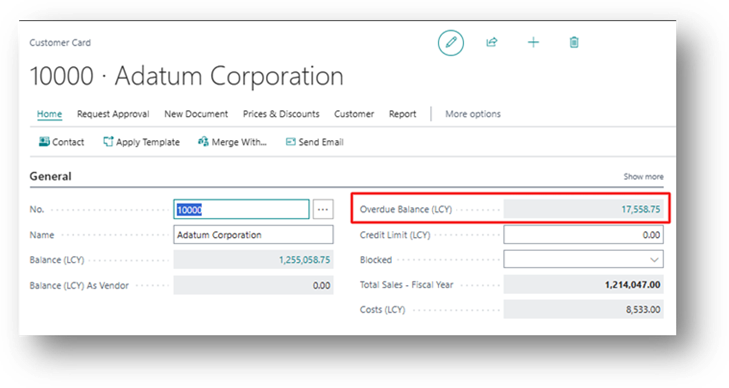
It answers two kinds of questions:
- Explanatory questions about Business Central concepts, fields, or how-to steps, sourced strictly from Microsoft’s official documentation (not a general web search).
- Requests to locate specific records or data in your company, which it answers with direct links.
Who Benefits
New users still learning the interface, and experienced users who want a shortcut past multi-click navigation.
Billing
Part of Business Central License so it will not bill separately.
How to Test it
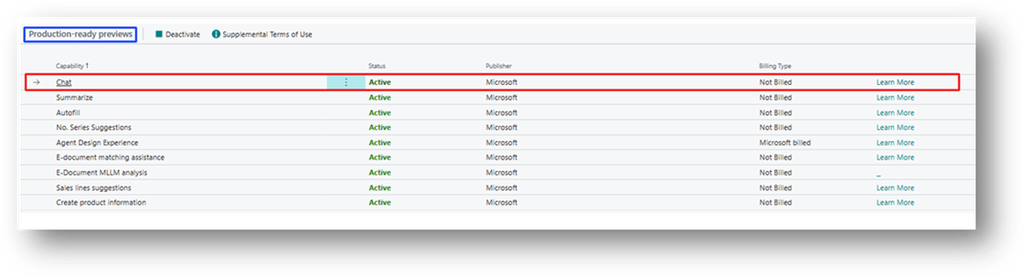
- Confirm Chat shows Active on the Copilot & agent capabilities page.
- Open any Business Central page and select the Copilot icon in the upper-right corner of the screen.
- In the “Ask a question” box, type an explanatory question, e.g.
- Can you Explain Item Category Code on Item Card Field?
- Now test the data-lookup path: Do we have Inventory of Coffee Beans Arabica in Items?
If you click on this than it will open the Record.
Copilot should respond with a plain-language answer plus links back to the source documentation article.
If Deactivated
If I Deactivate the Feature on the Copilot & agent capabilities than:
Failure’s
Sometime Copilot fails to answer a simple question.
Even though the Balance does exist in the System.
But Microsoft is working to Improve Copilot so maybe the time will come it gives 100% Answer as Expected.