Every table in a configuration package has a field called Dimensions as Columns. This option splits the dimensions out of the record into separate columns, one column for each dimension. It is useful when you export records to Excel and want to see or fill in their dimension values next to the other fields.
Where to Find the Dimensions as Columns Setting
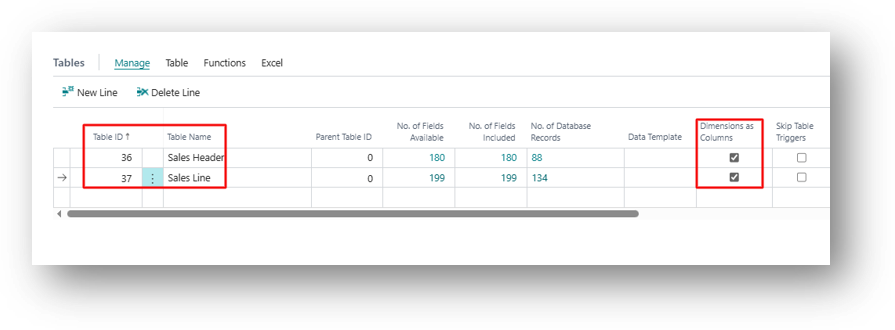
Search for Configuration Packages and open the package. In the Tables section, Dimensions as Columns is available on each table line.
| Setting | What Happens When the Table is Exported |
|---|---|
| Off (default) | Only the fields of the table are exported. |
| On | One column is added for each dimension set up in Business Central, with the dimension value of each record. |
Example Scenario
In this example, Dimensions as Columns is turned on for table 36, Sales Header.
- Before turning on the option, the exported Excel file ends at column GA (Shopify Order No.).
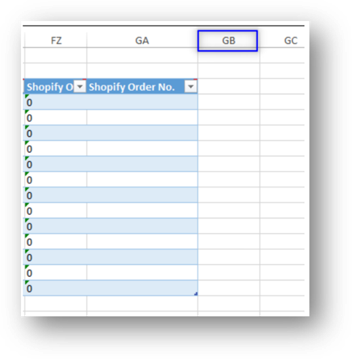
- After exporting with the option turned on, 7-dimension columns are added, from GB to GH.
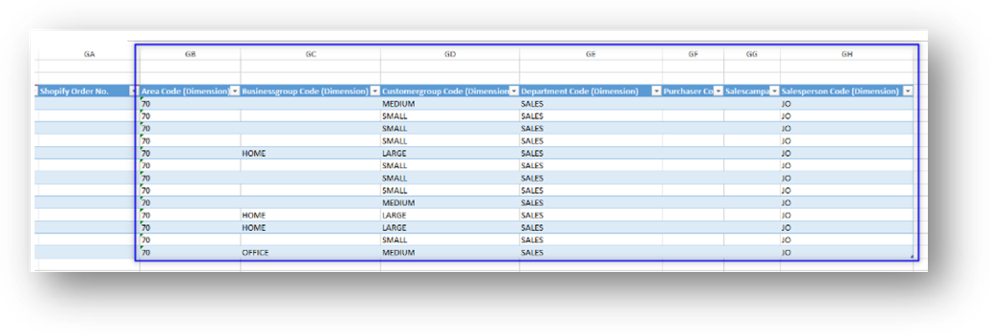
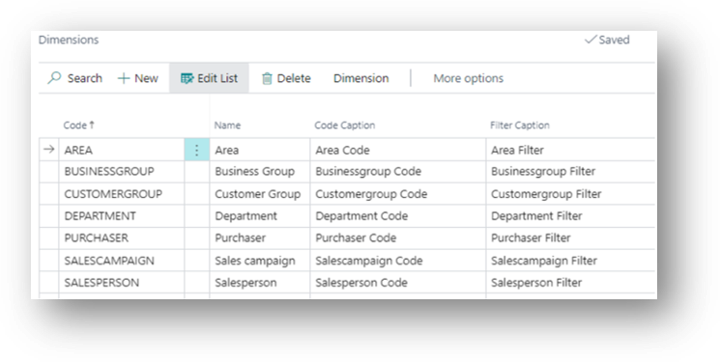
- These columns match the 7 dimensions set up on the Dimensions page. Each column header uses the Code Caption of the dimension followed by (Dimension), for example Area Code (Dimension).
Note – A blank cell means the record has no value for that dimension. In this example, the Purchaser and Salescampaign columns are empty.
Hope so this is Helpful 😃