
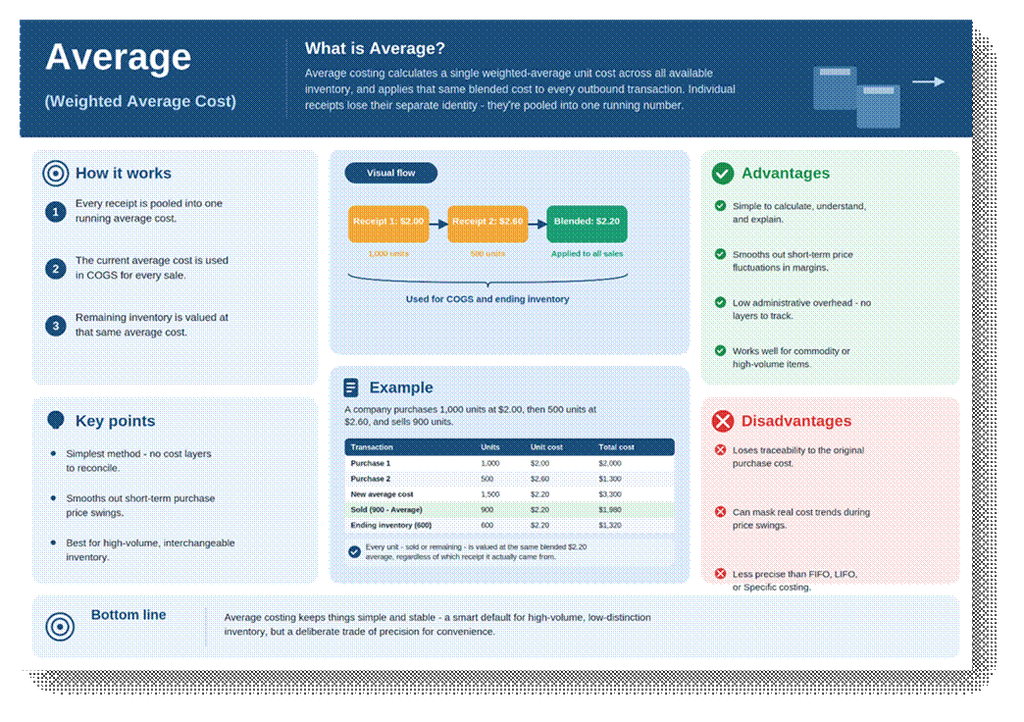
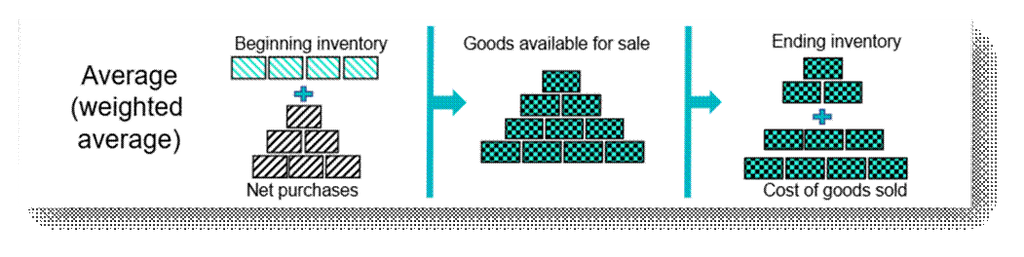
Average Costing calculates a single weighted-Average unit cost across all available inventory of an item, and applies that same cost to every outbound transaction until the next recalculation. In Business Central, it is the only costing method where the Costing Method field and the Unit Cost field genuinely describe the same number in real time.
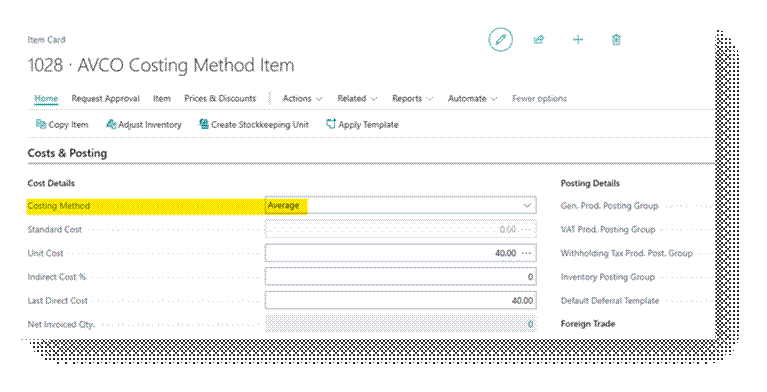
Costing Method Field
Average is set on the item card’s Costing Method field. It’s popular for its simplicity — no cost layer tracking, no application logic to reconcile, just one number that smooths out purchase price fluctuations.
Worked Example
Item ‘ITM-BOLT-08’, a fastener sold by the thousand, is costed under Average. Two receipts occur in the same Average cost period, followed by a shipment.
| Transaction | Date | Quantity | Unit Cost | Total Cost |
| Purchase Receipt # 1 | 1-Sep | 50.00 | 40.00 | 2,000.00 |
| Purchase Receipt # 2 | 5-Sep | 60.00 | 42.00 | 2,520.00 |
| Purchase Receipt # 3 | 10-Sep | 40.00 | 45.00 | 1,800.00 |
| Sales Shipment # 1 | 15-Sep | 130.00 | (Applied Average) | |
When to Use This Method
- High-volume, low-value, interchangeable items (fasteners, raw materials, commodity components) where tracing individual receipts adds no real value
- Businesses wanting to smooth out short-term purchase price volatility in reported margins
- Manufacturing environments with frequent small receipts where FIFO/LIFO layer tracking would be administratively heavy
- Simpler reconciliation needs, one Average number is easier to explain to non-technical stakeholders than a chain of cost layers
In Business Central
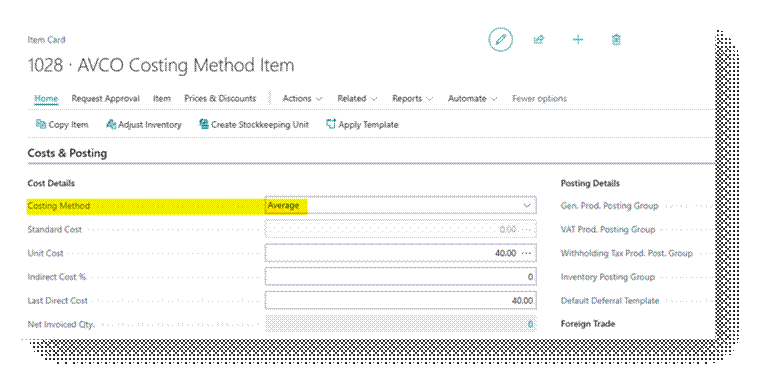
Let’s go the Item card first.
Now let’s Purchase this Item in a way we do normal Purchases.
Refer this document to learn the Procure to Pay Process in detail – https://ahmad365.com/procure-to-pay-process/
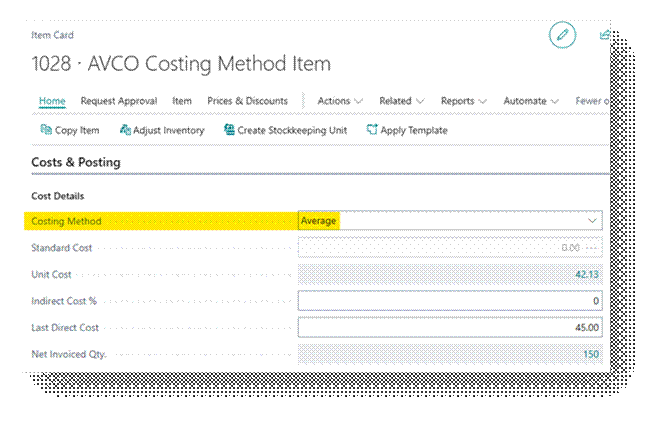
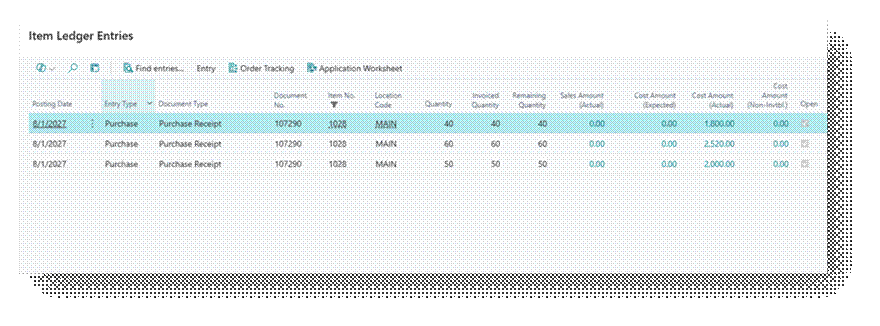
I have created the Example I explained above and in Business Central you can see the Details.
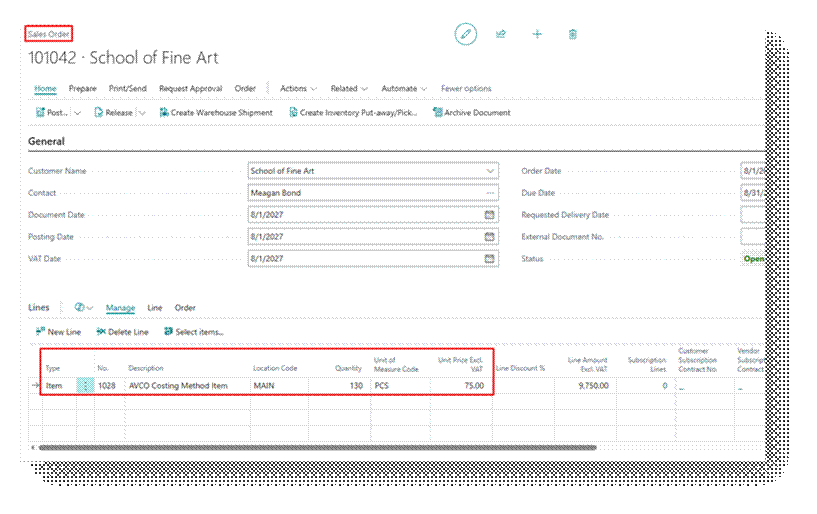
Now let’s Sell 130.00 Quantities.
As you can observe that Unit Cost is 42.13 Per Item, which you can see in the Unit Cost field on item card, and this is the value going to be used in the in cost calculation. This is the only costing method in which Unit cost and actual costing matches.
Let’s Preview this Sales Order:
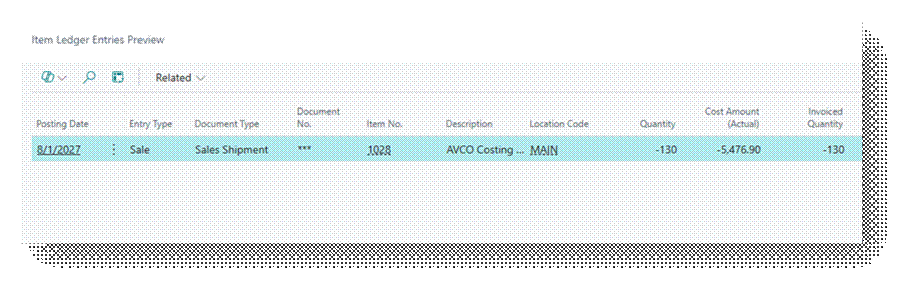
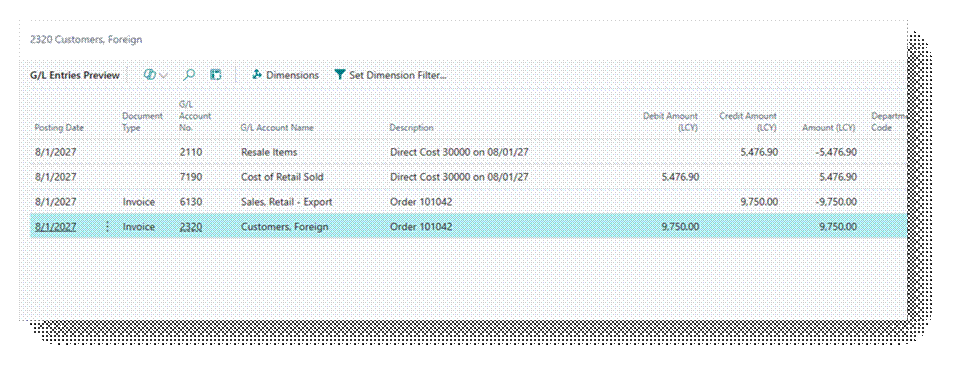
Cost Amount (Actual) – 5,476.90
| Transaction | Quantity | Unit Cost | Total Cost |
| Calculation | |||
| Sales Shipment # 1 | 130.00 | 42.13 | 5,476.90 |
| Total Amount (Average) | 5,476.90 | ||
Check the GL Entry closely that Amount is coming according to Average.
- Cost of Retail Sold – 5476.90 (Debit)
- Resale Items – 5476.90 (Credit)
So, In short this is how it works.