

This field exists on the General Journal Template and controls how the name of a newly created batch is generated.
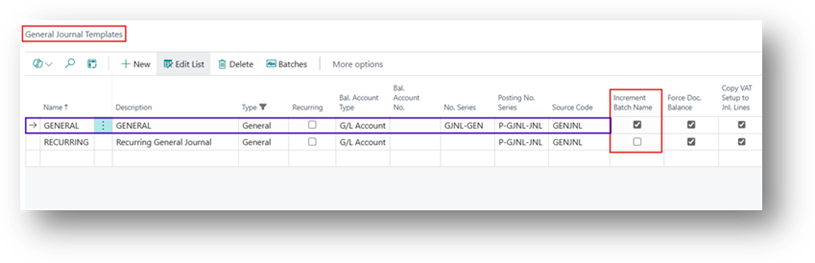
What it Does
When enabled, each time a new batch is created under the template. Business Central automatically increments the numeric portion of the most recent batch name, eliminating the need for the user to manually enter a new batch name. Importantly, this does not create a separate batch for every entry. The batch name is simply incremented as required. For example, after posting 999 entries, the next batch can automatically use 1000 (Number), rather than creating 1,000 separate batches.
Why it Matters
This is useful when the same journal template is used repeatedly for high-volume transactions. For example, if a Payroll Journal uses batch PAYROLL-001, the next time a new batch is created, Business Central can automatically create PAYROLL-002, then PAYROLL-003, and so on.
Worked Example
Let’s run the Process now.
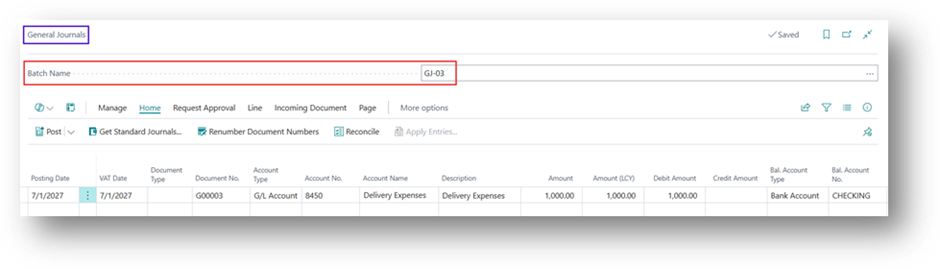
- As you can see in the screenshot that Batch Name is GJ-03 and we have created a Journal entry in that.
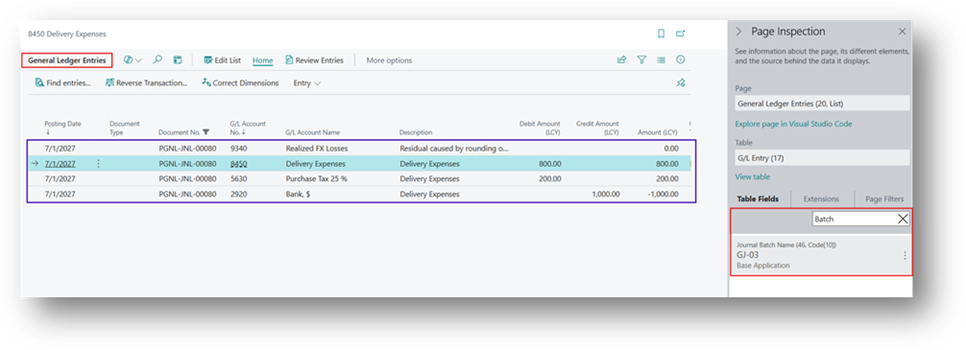
- Let’s Post this now and check the Batch name in Posted Entry.
- And Once you click on the Post it will notify you regarding New Batch Name.
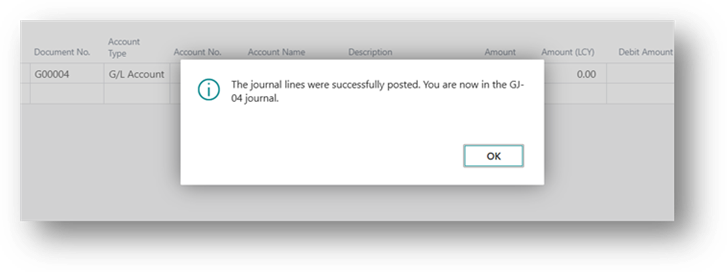
- Now let’s check the Batch Name on General Journal.
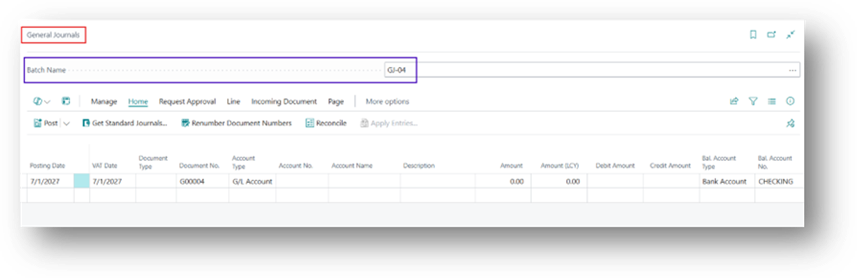
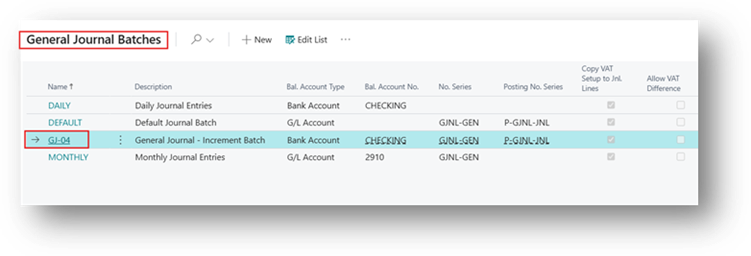
- And in the General Journal Batches, you can see it does not create 4 different Batches like GL-01 to GL-04.
Hope you Find this Article Helpful! 🙂😊