Demystifying Date Formulas in NAV / Dynamics 365 Business Central 🗓️
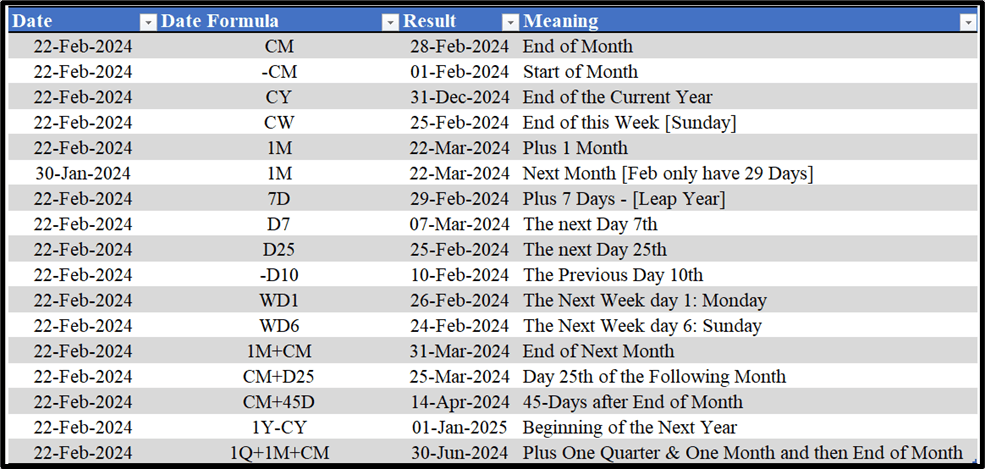
If you’re diving into NAV/Dynamics 365 Business Central, understanding Date Formulas is a game-changer. 🔄 A Date Formula, a fusion of signs, letters, and numbers, works its magic in calculating dates—think Due Dates or the next gig in recurring tasks (Job Queue, Recurring Journals, etc).
Here’s the lowdown on the letters:
- C: Current (end of)
- D: Day
- W: Week
- WD: Week Day (1 for Monday)
- M: Month
- Q: Quarter
- Y: Year
Hope so this is Helpful 😃