Business Central lets you tag transactions with dimensions for reporting, such as Department, Project, or Region. Not all dimensions behave the same way. Users frequently confuse two terms:
- Global Dimensions
- Shortcut Dimensions
Shortcut Dimensions
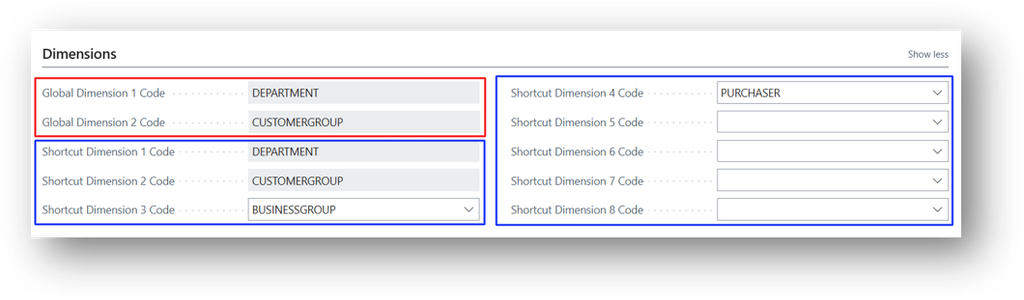
You can set up to 8 Shortcut Dimensions in General Ledger Setup. These appear as visible fields directly on document and journal lines, so users can enter them without opening the Dimensions page.
Global Dimensions directly connect Shortcut Dimension 1 and 2, and we will cover this in the Global Dimension Sections.
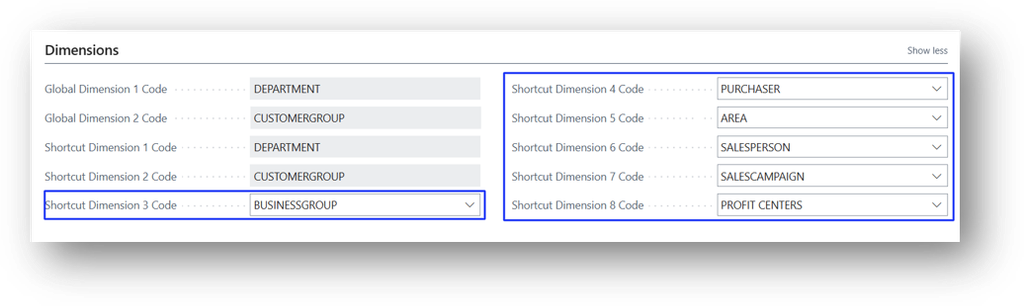
These Show as Extra Columns on Document Lines, same as the Global Ones.
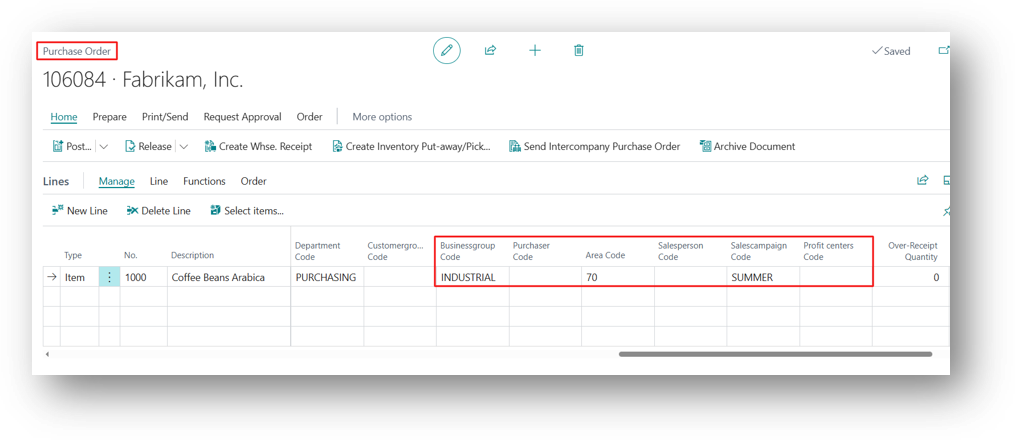
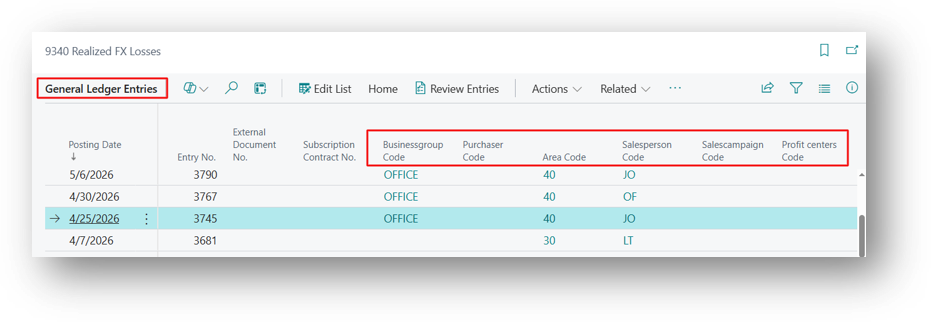
But it does not give you shortcut dimension (Name) filters on Reports. [Only Global ones are coming]
Global Dimensions
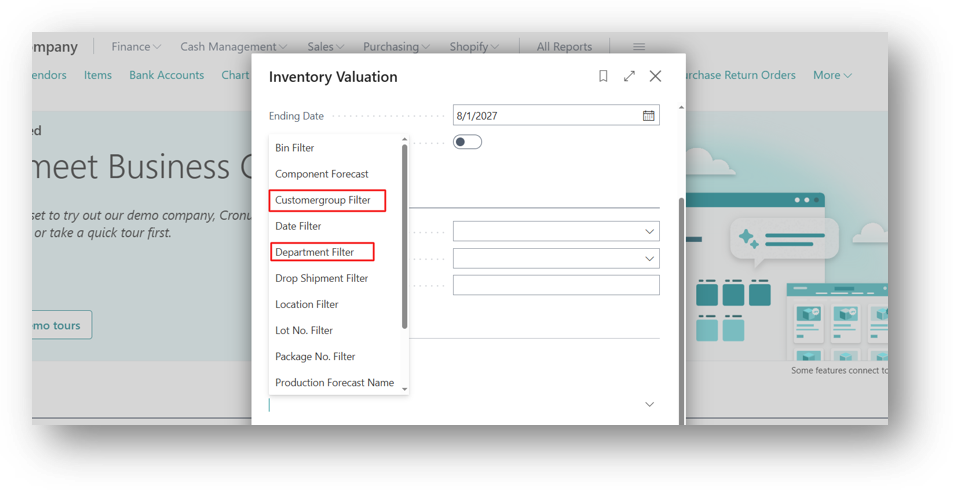
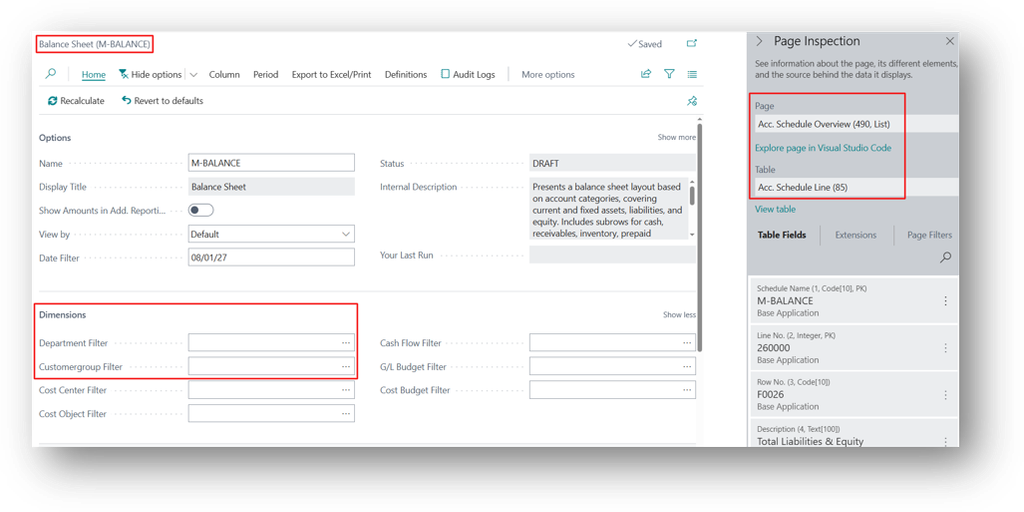
The first 2 of those 8 are special. They are called Global Dimensions (Dimension 1 and Dimension 2). Unlike the other 6, Global Dimensions have Dedicated Fields on Reports as well. All other characteristics are same in both cases.
- They can be used Directly in Filters and as Columns on Reports.
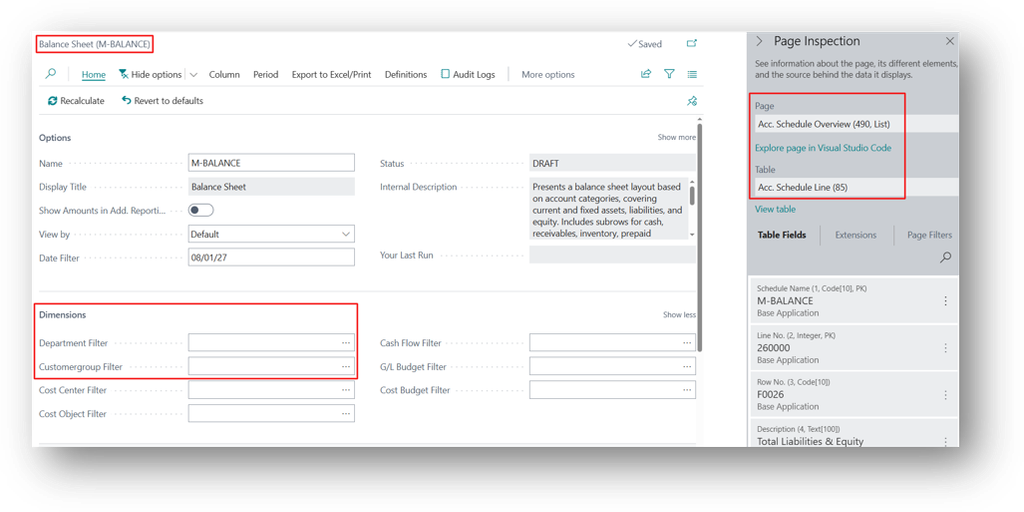
- And on Financial Reports as well.
Hope so this is Helpful 😃