

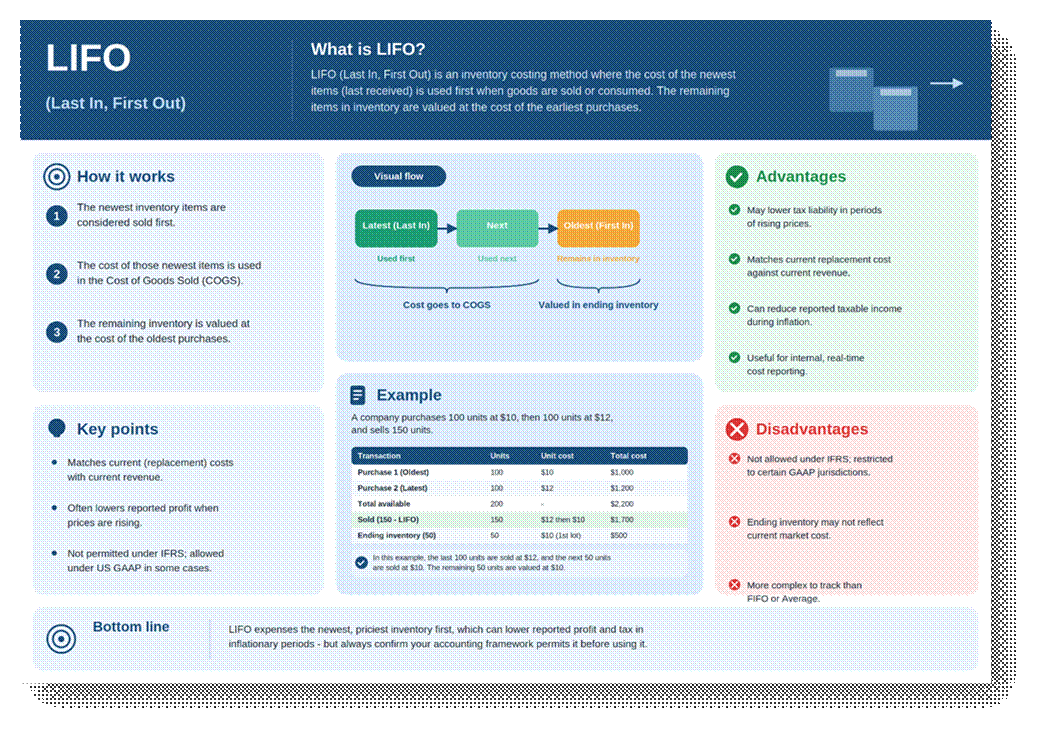
LIFO (Last-In, First-Out) is the mirror image of FIFO: the most recently received inventory cost is the first one applied to an outbound transaction. Like FIFO, it is an actual costing method in Business Central. It uses real cost layers from real receipts, just consumed in reverse chronological order.
LIFO is far less common globally than FIFO because it is disallowed under IFRS and many local tax jurisdictions (it remains permitted under US GAAP for tax purposes in some cases).
Common Misconception
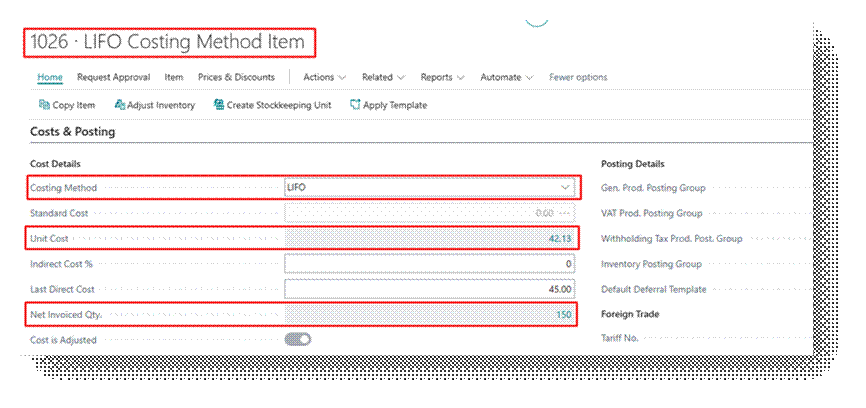
Regardless of which Costing Method is assigned to an item, the Unit Cost field on the Item Card is always populated by an average calculation the total remaining cost of on-hand inventory divided by the remaining quantity.
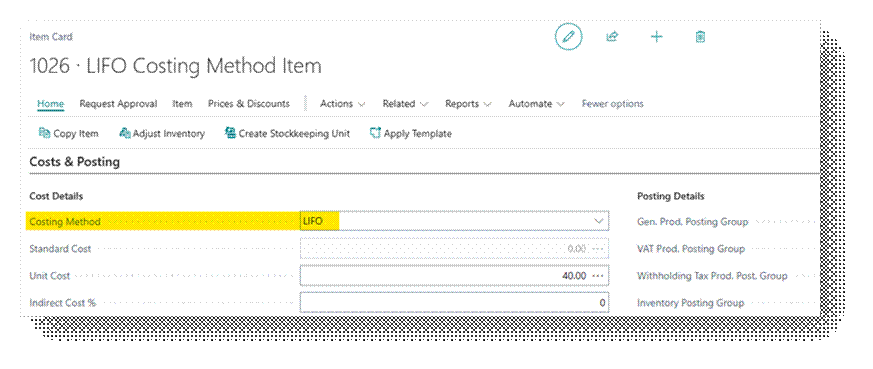
Costing Method Field
LIFO is selected the same way as FIFO, on the item card’s Costing Method field, and as with all actual costing methods should be set before the item has transactions to avoid layer inconsistencies.
Worked Example
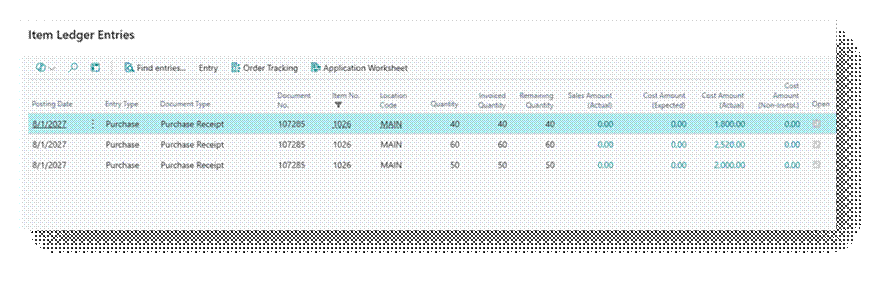
Consider Item “ITEM”, a stackable chair, costed under LIFO. Three purchase receipts occur before a sales order ships 130 units.
| Transaction | Date | Quantity | Unit Cost | Total Cost |
| Purchase Receipt # 1 | 1-Sep | 50.00 | 40.00 | 2,000.00 |
| Purchase Receipt # 2 | 5-Sep | 60.00 | 42.00 | 2,520.00 |
| Purchase Receipt # 3 | 10-Sep | 40.00 | 45.00 | 1,800.00 |
| Sales Shipment # 1 | 15-Sep | 130.00 | (Applied LIFO) | |
Business Central applies the 130 Unit Shipment Against the Oldest Layers First:
- 30 units @ 40.00 from Receipt #1 = 1,200.00
- 60 units @ 42.00 from Receipt #2 = 2,520.00
- 40 units @ 45.00 from Receipt #3 = 1,800.00
Receipt #3 still has 20 units open at 45.00, ready to be consumed by the next outbound transaction.
When to Use This Method
- GAAP Allows this Method.
In Business Central
Let’s go the Item card first.
Now let’s Purchase this Item in a way we do normal Purchases.
Refer this document to learn the Procure to Pay Process in detail – https://ahmad365.com/procure-to-pay-process/
I have created the Example I explained above and in Business Central you can see the Details.
Now let’s Sell 130.00 Quantities.
As you can observe that Unit Cost is 42.13 Per Item, which you can see in the Unit Cost field on item card, and it is calculated based on AVCO even though we selected FIFO. But this field is just for Reporting Purpose. Actual Entries will follow the Costing Method you will select in the Item Card.
Let’s Preview this Sales Order:
Cost Amount (Actual) – 5,520.00
| Transaction | Quantity | Unit Cost | Total Cost |
| AVCO Calculation | |||
| Sales Shipment # 1 | 130.00 | 42.13 | 5,476.90 |
| Total Amount (AVCO) | 5,476.90 | ||
| FIFO Calculation | |||
| Purchase Receipt # 1 | 30.00 | 40.00 | 1,200.00 |
| Purchase Receipt # 2 | 60.00 | 42.00 | 2,520.00 |
| Purchase Receipt # 3 | 20.00 | 45.00 | 1,800.00 |
| Total Amount (FIFO) | 5,520.00 | ||
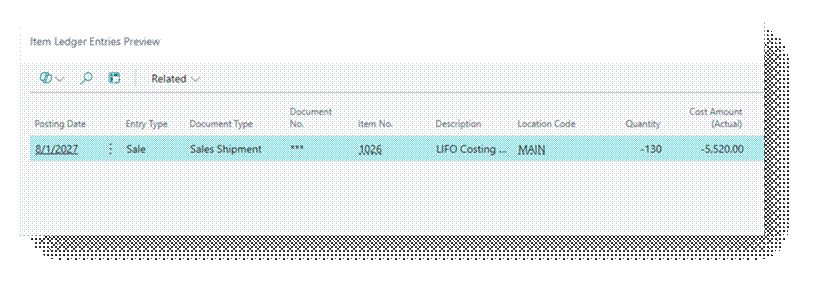
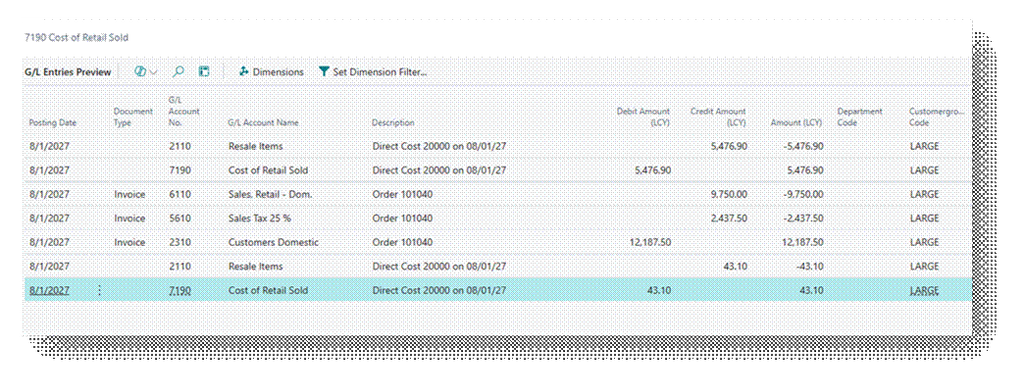
Check the GL Entry closely that Amount is coming according to AVCO.
- Cost of Retail Sold – 5476.90 (Debit)
- Resale Items – 5476.90 (Credit)
But look closely check the entries of 56.90 Amount. So, in Practical system record the value in FIFO after adjusting the entry of difference in AVCO and FIFO.
- Cost of Retail Sold – 5,476.90 (Debit) + 43.10 (Debit) = 5520.00 (Debit)
- Resale Items – 5,476.90 (Credit) + 43.10 (Credit) = 5520.00 (Credit)
So, In short this is how it works.