Every contract line in Subscription Billing carries two fields that look similar but do different jobs, Billing Base Period and Billing Rhythm:
- Billing Base Period [Billing Base Period tells Business Central which period the price refers to]
- Billing Rhythm [Billing Rhythm tells it how often the line is invoiced]
This article explains both fields, shows where the defaults come from and runs four scenarios in Business Central to show the invoice result of each combination.

Billing Formulas
- Units
- D = Day, W = Week, M = Month, Q = Quarter, Y = Year
- CM = Current Month, CQ = Current Quarter, CY = Current Year (Calendar Based)
- Billing Rhythm must divide into the Billing Base Period, or the Billing Base Period into the Billing Rhythm, without a remainder. A rhythm of 15D against a base period of 1M is rejected with the message:
- “The ratio of ‘Billing Base Period’ and ‘Billing Rhythm’ or vice versa must give a natural number”

| Scenario | Base Period | Rhythm |
|---|---|---|
| Monthly Price, Monthly Invoice | 1M | 1M |
| Monthly Price, Quarterly Invoice | 1M | 3M (Or 1Q) |
| Yearly Price, Monthly Invoice | 12M (Or 1Y) | 1M |
| Yearly Price, Yearly Invoice | 1Y | 1Y |
| Weekly Service | 1W | 1W |
Where business uses Billing Base Period
- Software as a service priced and billed.
- Support or maintenance.
- Licenses
- Contracts
- Equipment Rental, Managed Services and Warranty Extensions
Defaults in Subscription Contract Setup
- New lines take their values from Subscription Contract Setup. Default Billing Base Period and Default Billing Rhythm are both 1M here, and Default Period Calculation is Align to End of Month. Subscription Nos. must also have a number series, otherwise a contract line cannot be created.

Create the Contract Lines
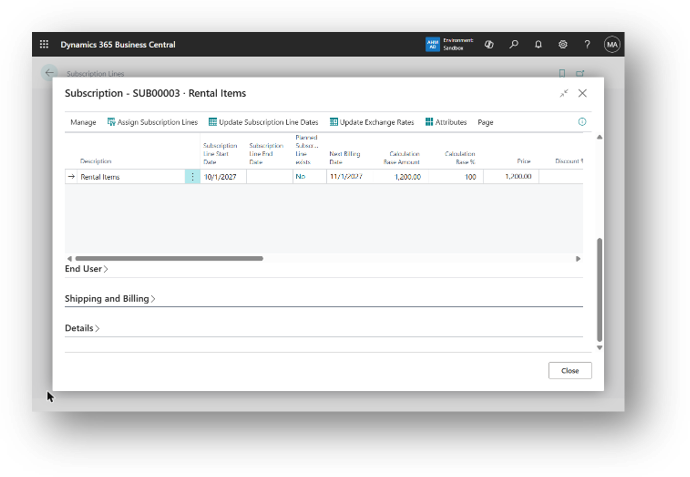
- A customer subscription contract CST-0001 for Adatum Corporation was used. Four lines of item 1031 (Rental Items) were added. Each line creates its own subscription (SUB00001 to SUB00004) with Subscription Line Start Date 10/1/2027.


- The price is not typed on the contract line. It comes from the subscription line, where Calculation Base Amount multiplied by Calculation Base % gives the Price. For the annual lines the Calculation Base Amount is 1,200.00 and the Calculation Base % is 100.
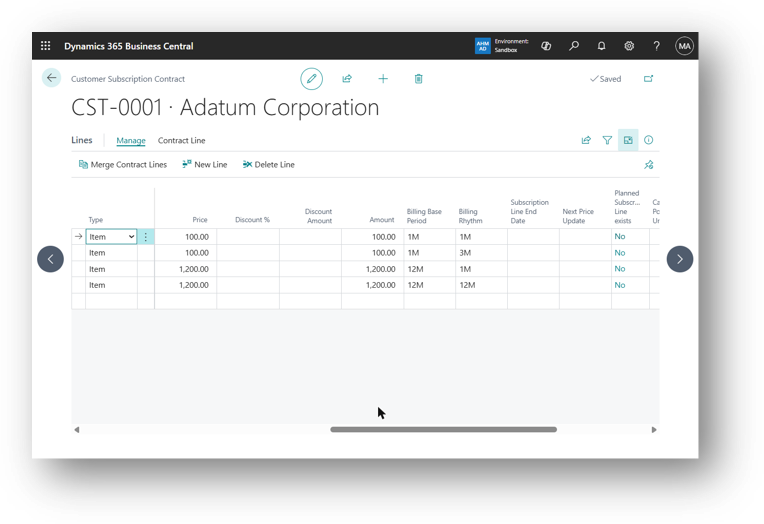
- Billing Base Period and Billing Rhythm were then set on each contract line. The four combinations are 1M and 1M, 1M and 3M, 12M and 1M, and 12M and 12M.
Create the Invoice
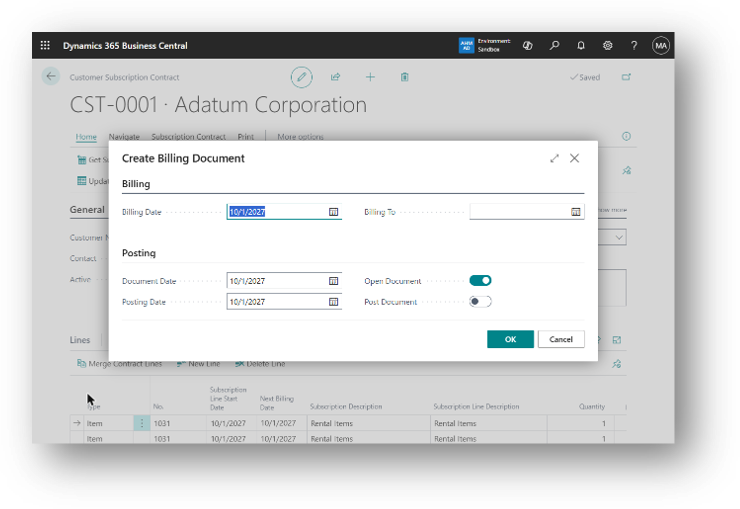
- Select Create Contract Invoice. In Create Billing Document, Billing Date is 10/1/2027 and Open Document is on, so the invoice is created but not posted.
- Business Central confirms that one document was created for the contract.

Scenario Results for Billing Base Period
- Results of all 4 Scenarios are showed under:
- Scenario 1 [Base Period 1M & Rhythm 1M]
- This is the standard monthly subscription.
- Billing Period is 10/01/27 to 10/31/27
- Price – 100.00
- Invoice line – 100.00

- Scenario 2 [Base Period 1M & Rhythm 3M]
- The price stays 100.00 per month, only the invoicing frequency changed.
- Billing Period is 10/01/27 to 12/31/27
- Price – 100.00
- Invoice line – 300.00

- Scenario 3 [Base Period 12M & Rhythm 1M]
- The annual price is split into twelve monthly invoices.
- Billing Period is 10/01/27 to 10/31/27
- Price – 1,200.00
- Invoice line – 100.00

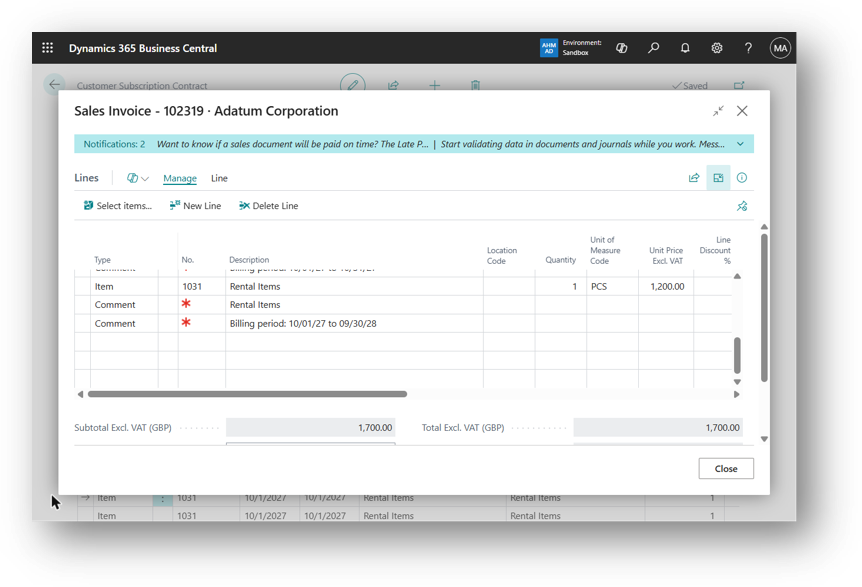
- Scenario 4 [Base Period 12M & Rhythm 12M]
- The whole year is invoiced at once. The invoice total is 1,700.00.
- Billing Period is 10/01/27 to 09/30/28
- Price – 1,200.00
- Invoice line – 1,200.00
Next Billing Date after invoicing
- After the invoice is created, each line moves to its next billing date: 11/1/2027 for the monthly lines, 1/1/2028 for the quarterly line and 10/1/2028 for the annual line.

Other Billing Base Period cases from Microsoft documentation
- When a line ends before its billing period is complete, Business Central calculates the amount by days. A monthly line with price 100.00 and Subscription Line End Date 10/15/2027 is invoiced for 15 of 31 days, so the invoice line is 100 / 31 x 15 = 48.39. The invoice comment shows the billing period 10/01/27 to 10/15/27.

- Align to End of Month applies when the Subscription Line Start Date falls in the last three days of a month. A monthly line starting on 10/30/2027 is billed for the period 10/30/27 to 11/28/27, which ends on the second last day of the following month, so the invoice line is the full price of 100.00. The next period then starts on 11/29/27.

Hope so this is Helpful 😃