
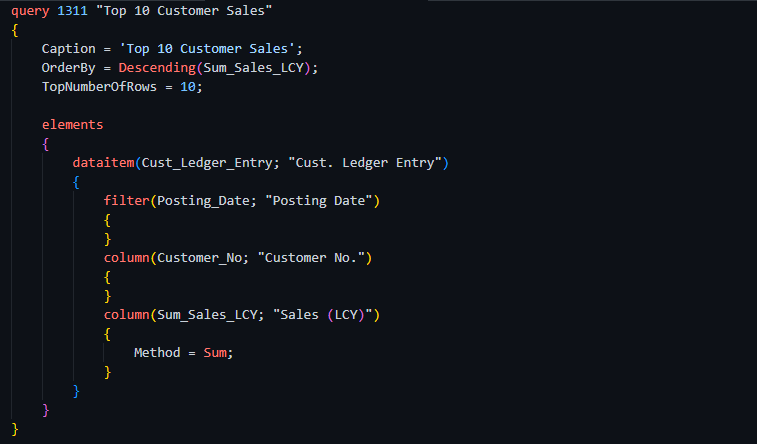
In this Article, we will focus on understanding the concept of joins in Query objects. We will cover practical examples in the next article, Insha’ALLAH.
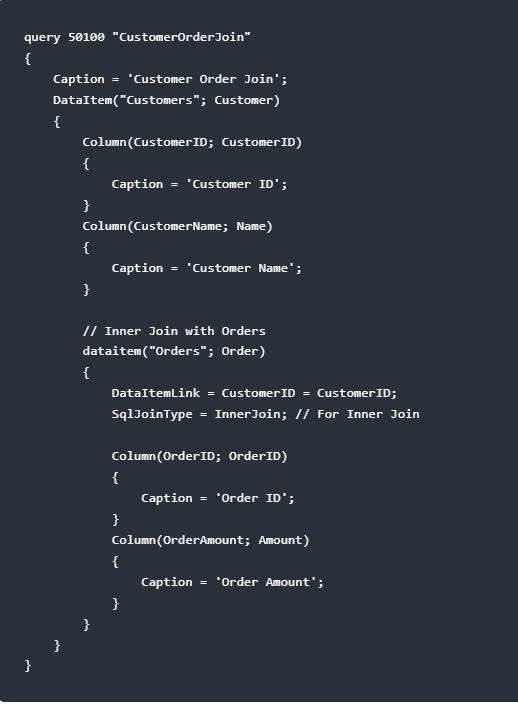
In AL for Business Central, queries allow you to perform operations similar to SQL joins by using “DataItemLink” and “SqlJoinType” properties. Here’s how you can define these joins in a query object in AL, using the tables Customers and Orders as examples.
Setup
Assume we have two tables, Customers and Orders, with the following relevant fields:
- Customers: CustomerID, CustomerName
- Orders: OrderID, CustomerID, OrderAmount
AL Query Object with Joins
Let’s define an AL query object to demonstrate different types of joins:
Explanation
- DataItem Hierarchy: The Orders data item is nested within the Customers data item, indicating the hierarchical relationship between them.
- DataItemLink Property: This property links the CustomerID fields from both tables. The syntax DataItemLink = CustomerID = CustomerID; indicates that records with matching CustomerID values will be linked.
- SqlJoinType Property: Set to InnerJoin in this example. You can change it to other types (LeftOuterJoin, RightOuterJoin, FullOuterJoin) to achieve different join behaviors.
Types
There are 5 types of Joins Available in the Business Central.
- Inner Join
- Left Outer Join
- Right Outer Join
- Full Outer Join
- Cross Join
Example Tables
Let’s assume we have two tables, Customers and Orders:
Customers Table

Orders Table

Inner Join
An Inner Join returns rows when there is a match in both tables.
SQL Query:
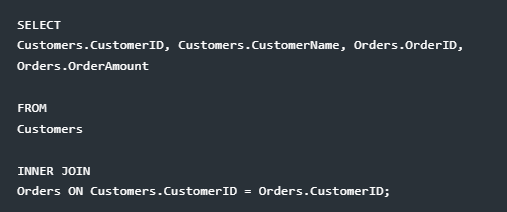

Explanation: Only the customers with matching orders are shown.
Left Outer Join
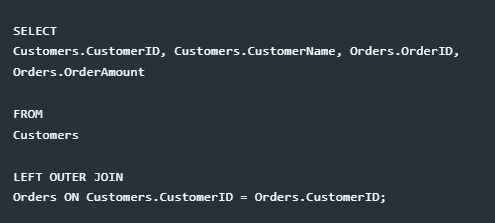
A Left Outer Join returns all rows from the left table and matched rows from the right table. Unmatched rows in the right table return NULL.
SQL Query:
Result:

Explanation: All customers are shown. Customers without orders have NULL values for order fields.
Right Outer Join
A Right Outer Join returns all rows from the right table and matched rows from the left table. Unmatched rows in the left table return NULL.
SQL Query:
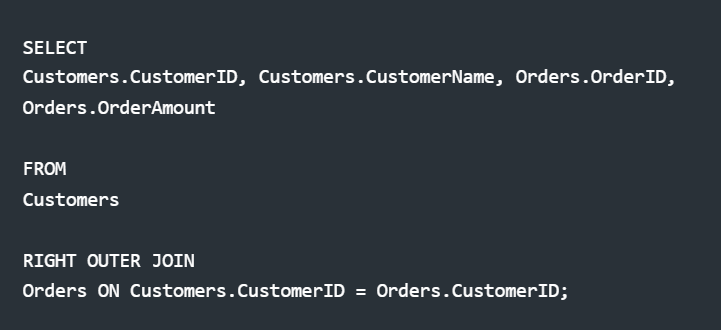
Result:

Explanation: All orders are shown. Orders without matching customers have NULL values for customer fields.
Full Outer Join
A Full Outer Join returns all rows when there is a match in one of the tables. Unmatched rows in either table return NULL.
SQL Query:
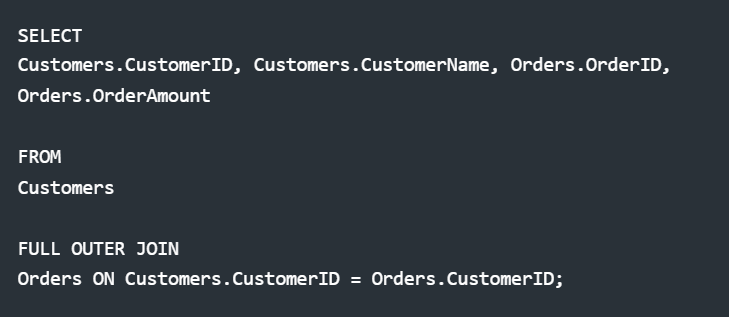
Result:

Explanation: All customers and orders are shown. Unmatched entries in either table have NULL values.
Cross Join
A Cross Join returns the Cartesian product of both tables, combining each row of the first table with every row of the second table.
SQL Query:
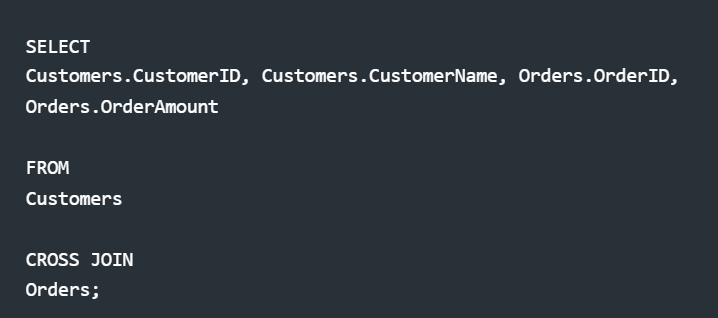
Result:

Explanation: Each customer is paired with every order, resulting in a complete pairing of rows from both tables.
These examples demonstrate how different types of joins operate in SQL, allowing you to retrieve data based on your specific needs. Let me know if you need further explanation or assistance!
I hope you find this Article helpful.

Best Regards,

Ahmad Subhani

D365 Business Central Functional Consultant

MB-800 Certified

Email: ahmadsubhani424@gmail.com

WhatsApp: +923357687164
[…] This article is linked with my previous article. To clear your concepts of Types of Join. Read my Previous Article. [Link] […]