
In today’s post, I want to share a small but very useful feature in Dynamics 365 Business Central—how you can automatically create Lot/Serial No. Information Card. {I am assuming that you know how to Process Item Tracking in D365BC}
Many companies want to start tracking their items the moment they arrive. Usually, this begins at the Purchase Order stage, although item tracking can also be managed from any inbound document.
Where this Setting Exists
Go to the Item Tracking Code and create a New card over there. Also, each Item has an Item Tracking Code to attach. Coming back to the Item Tracking Code there are 2 Options:
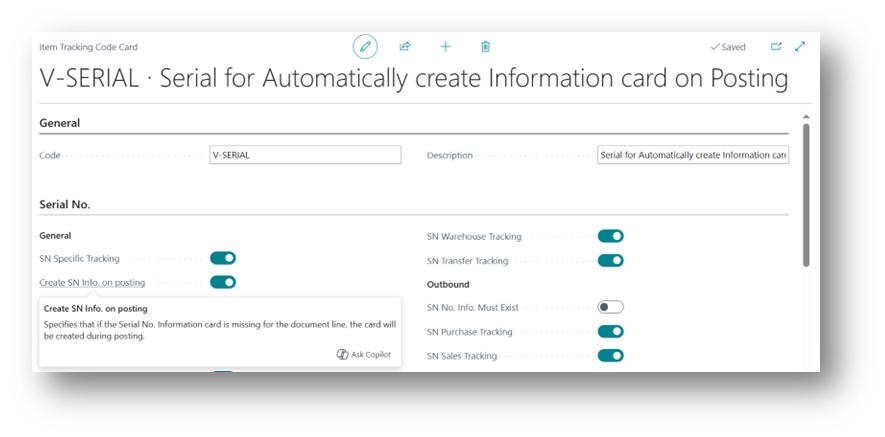
- Create SN Info. on Posting
When enabled, Business Central will automatically create the Serial No. Information Card during posting if it doesn’t already exist.
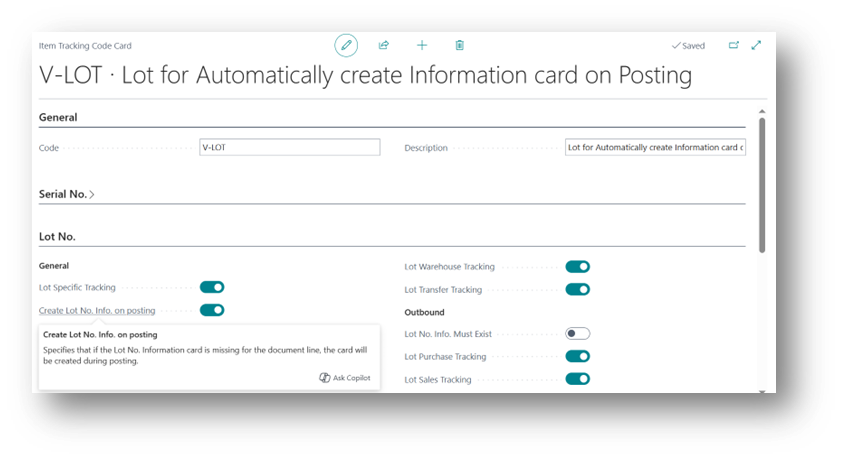
- Create Lot No. Info. on Posting
When enabled, the system will automatically create the Lot No. Information Card during posting.
Let’s take the Serial No. option as an example. Simply enable Create Serial No. Info. on Posting on the Item Tracking Code.
How it works during Purchase Order posting
- Open an existing purchase order or create a new one.
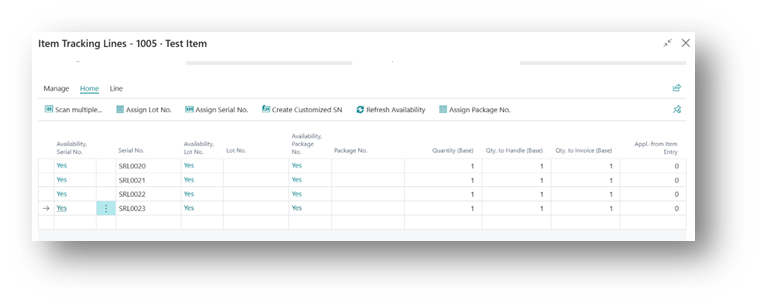
- On the line, go to Line → Item Tracking Lines.
- Assign the Lot/Serial numbers using whichever method suits your process:
- Automatically via Assign Serial No. or Assign Lot No.
- Don’t enable Create SN Information.
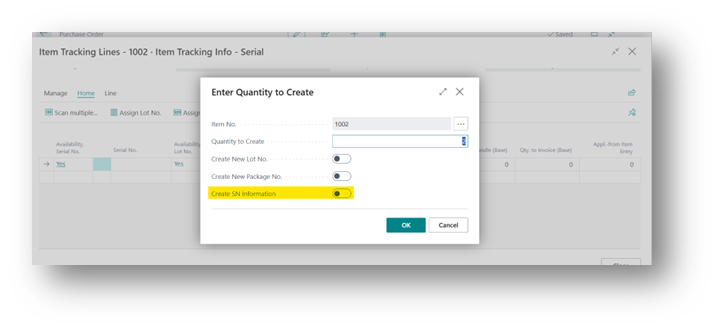
- From this it assigns Serial Number.
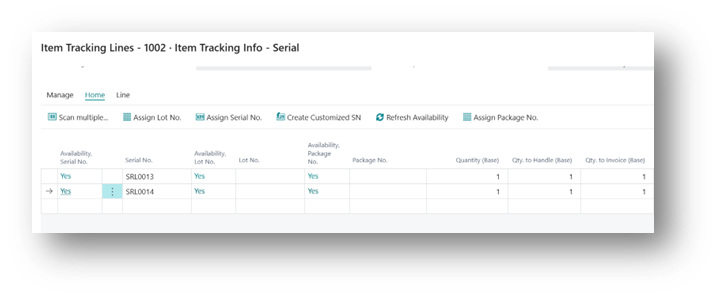
- At this stage, you can check that the Serial No. Information Card does not yet exist.
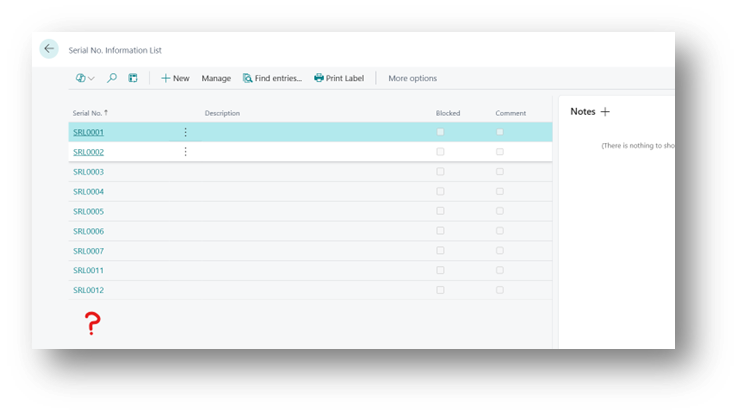
- Now simply post the receipt.
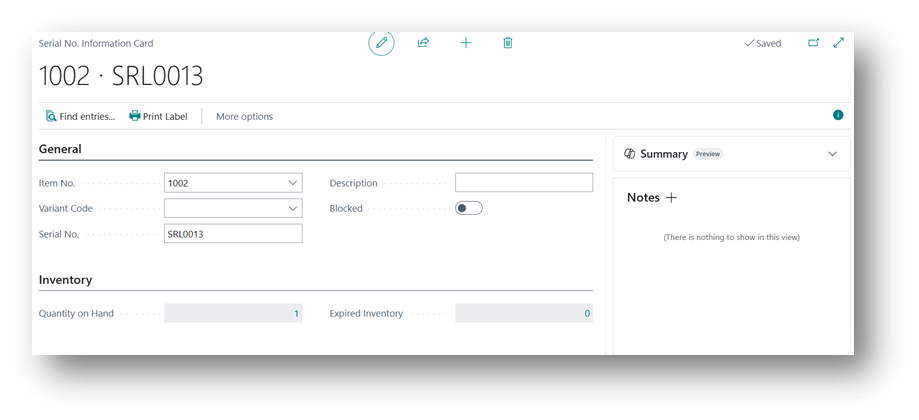
Once the posting is complete, Business Central will automatically generate the Serial No. Information Card for you.
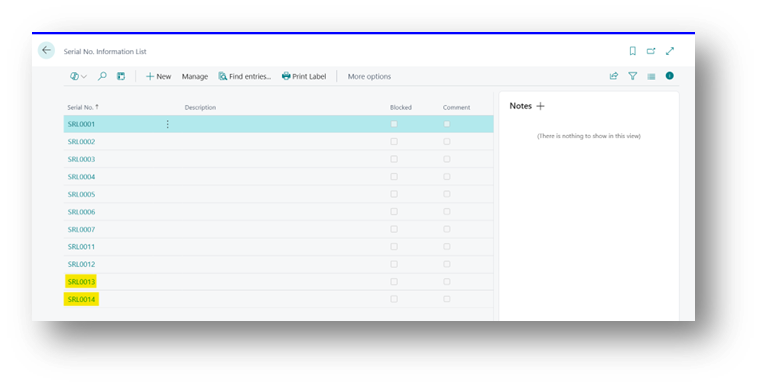
And these are the Details you will get inside a Card.
Disabling the Boolean on Item Tracking Card
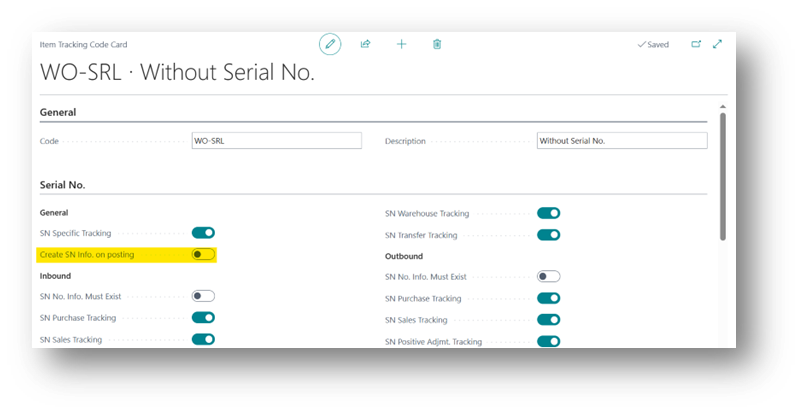
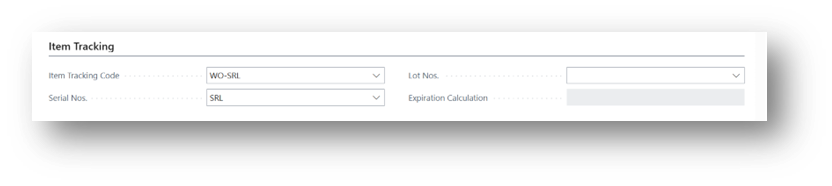
- Now we will repeat the Same Process Specified above. Then the Result will be:
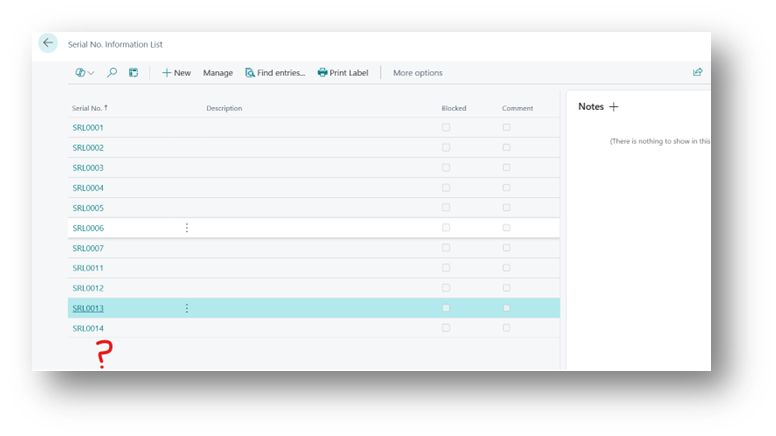 2. It will then not be going to create Info Card over here.
Enable Create SN Information
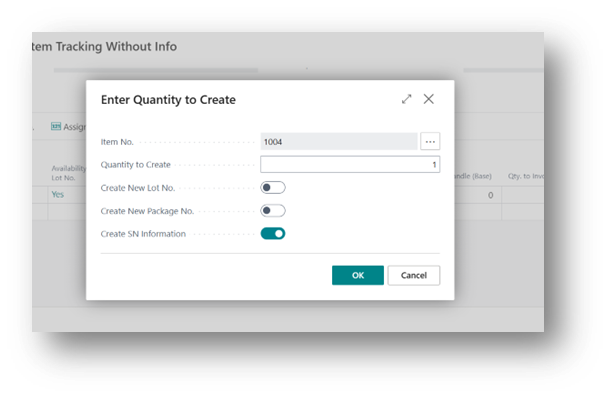
- If we enable “Create SN Information” Boolean and Post the Receipt, then:
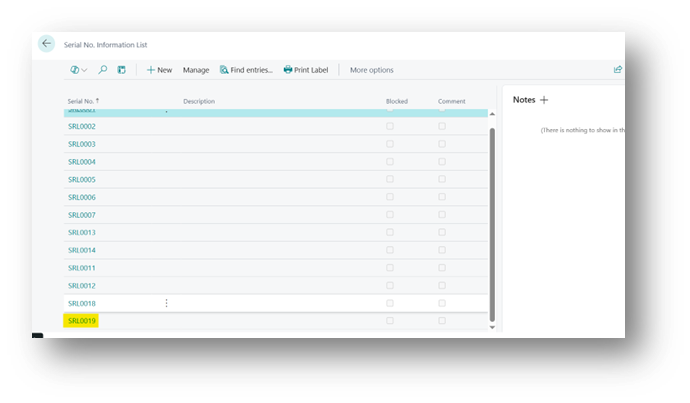 2. It will create the Info Card.
Enable Create SN Information
Now the 3rd Scenario is if we disable the Create SN Info. on Posting but enables related Booleans for Inbound and Outbound.
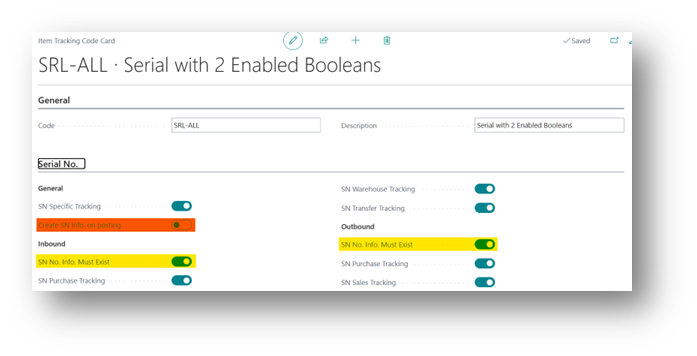
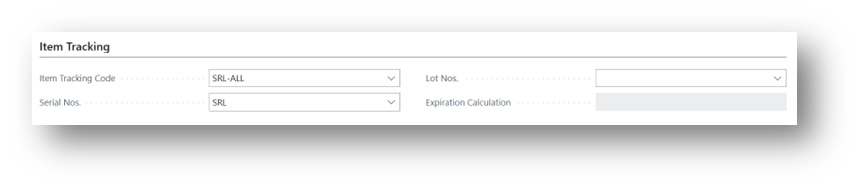
Now we will run the same process.
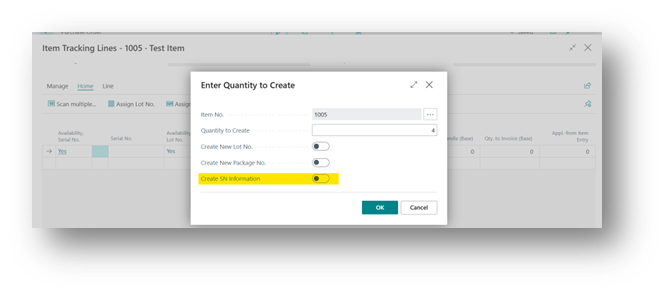
So now if we try to Process it then System will give us the Error:
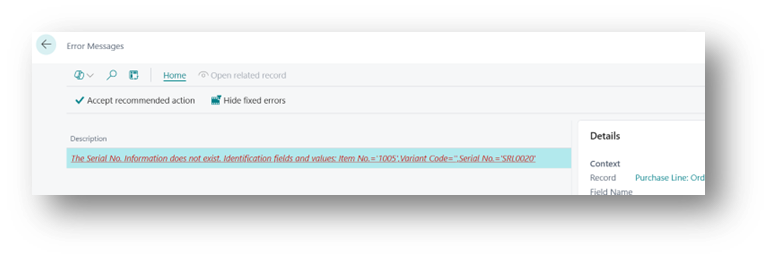
So these Booleans will enable the Restrictions in the Process.